In this Project I have created a leaderboard where I am learning how to link a website with an API
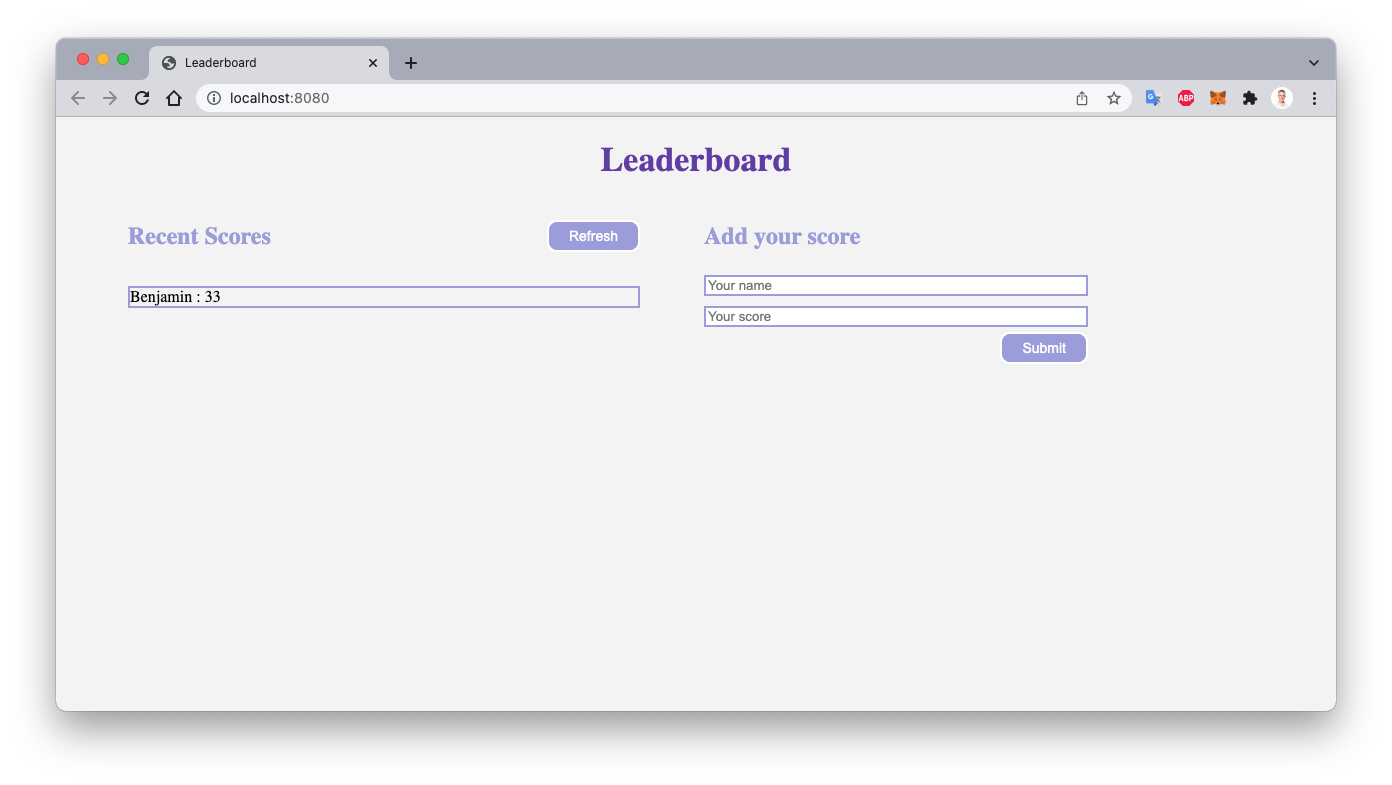
- HTML
- CSS
- JavaScript
- Webpack
To get a local copy up and running, follow the steps in Setup below.
Basic knowledge of HTML, CSS, and JavaScript.
If you installed git you can clone the code to your machine, or download a ZIP of all the files directly. Download the ZIP from this location, or run the following git command to clone the files to your machine:
git clone https://github.com/benjp009/Leaderboard.git- Once the files are on your machine, open the Leaderboard folder in Visual Studio Code, and follow the steps in Installation & Set Up
-
Install Node Modules
npm install
-
Start the development server
npm start
-
Open http://localhost:8080 to view it in the browser.
-
Generate a full static production build
npm run build
The following tools help make easier to work with sample code.
- git: A tool for managing source code
- Visual Studio Code: A source code editor
- NVM
👤 Benjamin
- GitHub: @benjp009
Contributions, issues, and feature requests are welcome!
Give a ⭐️ if you like this project!
- Great team work on the project in Pair Programming
- Thank you for Microverse for providing the required materials