| title | Git & GitHub Homework |
|---|
Before start, make sure you have installed and properly configured Git:
- Install Git using https://git-scm.com/download.
- Configure Git according yours Github's account using
git configcommand. Please check instructions how to generate (if you haven't it done before) ssh key, and link with your GitHub account.
Required to accomplish:
-
Register GitHub account, and fill info. Check https://github.com/itspoma account, and follow few popular engineers (you find them on conference websites). You can find most active GitHub users here.
-
Send email to
roman@ralabs.orgwith your github nickname and ask to add you to https://github.com/cursor-education. After you'll be added, navigate to https://github.com/orgs/cursor-education/people and changePrivatetoPublic. Now check your Github profile, you should haveCURSOR Educationbadge under your profile image. -
Create new repository, push sample any html file(s) and publish on Github Pages. Follow this, this or this. If you more confortable with text guideline, follow these insturctions.
-
Create another new repository via Github, checkout new branch
developmentfrommaster, push few changes and makePR. You can find more information aboutPull-Requestshere. -
Make fork https://github.com/cursor-education/welcome-to-github, clone your fork, make changes (add your name to
list-of-users.txt, and create your folder insidepersonal/directory), and create PR for changes.
- Play game https://learngitbranching.js.org/.
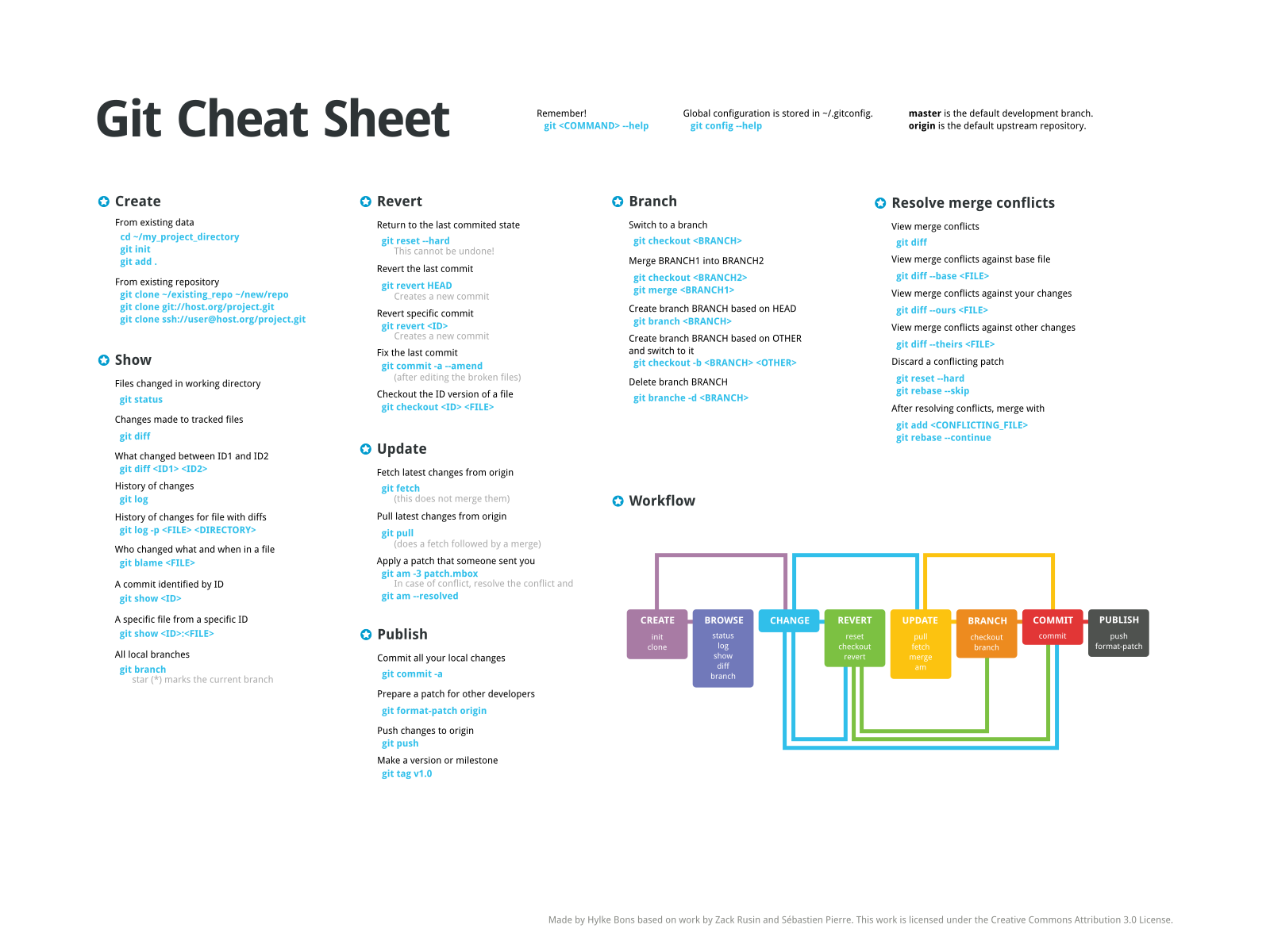
- Cheatsheets https://services.github.com/on-demand/downloads/github-git-cheat-sheet/.
- Commits visualization http://git-school.github.io/visualizing-git/.
- Visuals guidelines https://guides.github.com/.
- Find theoretical difference between
mergeandrebasecommands. Using terminal, try torebasedifferent branches, and send us history of commands usinggit logorgit diffcommands. Paste this history ongist.