


OpenZero is a local-first AI node, operator Super Panel, OpenAI-compatible local API, and self-hosted automation runtime for people who want their own AI machine instead of only a hosted chatbot tab.
It is built for ordinary Linux servers first. GPU acceleration is welcome, but the default route is practical CPU operation through Ollama, compact model choices, CPU profiles, local browser tooling, optional voice, offline release packaging, and a bridge into ZeroThink.
Public site: openzero.talktoai.org
Docs: docs.talktoai.org/openzero-user-manual
ZeroThink bridge: zerothink.talktoai.org
OpenZero lets a user or business install a private AI node on a server, VPS, desktop Linux box, lab machine, or local network host, then use it for:
- local LLM chat through Ollama, Gemma, Qwen, GGUF-style routes, and CPU-friendly profiles;
- OpenAI-compatible
/v1/chat/completionscalls from apps, scripts, tools, and ZeroThink; - a web Super Panel for model controls, runtime health, API keys, voice, settings, and local status;
- ZeroThink Neural Vault integration so ZeroThink can use a user-owned OpenZero machine;
- Moltbot page reading and browser-style web inspection for agent workflows;
- optional Voicebox or Piper speech routes for local voice output;
- CallChat Zero Bot bridge so OpenZero can power a Matrix room agent with optional Voicebox speech;
- optional BitNet 1-bit CPU lane for lower-power model experiments;
- Z-Spark draft-verify routing inspired by DSpark-style speculative decoding;
- offline release bundles for air-gapped or low-connectivity installs;
- privacy-aware Hive/federation client controls where sharing is explicit, not silent.
Review the installer before running it:
curl -fsSL https://openzero.talktoai.org/install.sh -o openzero-install.sh
less openzero-install.sh
bash openzero-install.sh
Fast install on a machine you control:
curl -fsSL https://openzero.talktoai.org/install.sh | bashAlternative GitHub raw install:
curl -fsSL https://raw.githubusercontent.com/ResearchForumOnline/OpenZero/main/openzero/install.sh | bashOpen the Super Panel after install:
http://localhost:1024
| Need | Link |
|---|---|
| Latest GitHub source archive | Download ZIP |
| GitHub releases | OpenZero releases |
| ZeroMint OS GitHub release | zeromint-os-v1.0 |
| Hosted installer | openzero.talktoai.org/install.sh |
| Update script | openzero/update.sh |
| ZeroMint OS v1.0 ISO | Download ISO |
| ZeroMint OS torrent | Download torrent |
| ZeroMint OS guide | openzero/docs/ZEROMINT_OS.md |
| Download guide | openzero/docs/DOWNLOADS_AND_RELEASES.md |
| Offline release guide | openzero/docs/OFFLINE_RELEASE.md |
| Public release checklist | docs/PUBLIC_RELEASE_CHECKLIST.md |
| Changelog | openzero/CHANGELOG.md |
| Area | What OpenZero Provides |
|---|---|
| Super Panel | Browser UI for models, Hive controls, voice, OpenZero API key management, local runtime status, and settings. |
| Local LLM lane | Ollama-backed model routing with Gemma defaults, custom model names, repair actions, install buttons, and model status checks. |
| CPU profiles | Compact, balanced, and max CPU modes with thread, batch, context, and keep-warm controls. |
| Z-Spark | Custom draft-verify layer: a small local model drafts, OpenZero estimates confidence, and the active model verifies or rewrites. |
| OpenAI-compatible API | /v1/chat/completions for local model calls with OpenZero API keys. |
| ZeroThink bridge | Create a machine API key in OpenZero and paste it into ZeroThink Neural Vault to route suitable work through your own node. |
| Moltbot | Local page inspection and text extraction path for research, webpage reading, and agent actions. |
| Voice | Piper offline speech by default; optional Voicebox backend for richer local voice workflows. |
| CallChat bot | Matrix room agent bridge for CallChat using OpenZero as the local brain and Voicebox for optional speech. |
| BitNet | Optional Microsoft BitNet-style 1-bit CPU lane for low-power experiments. |
| Offline release | Builder path for source, Python wheels, Node runtime, PM2, Moltbot dependencies, Ollama binary, and optional model stores. |
| Security posture | Local-first defaults, hashed API keys, explicit sharing controls, no browser-supplied OpenZero endpoint trust. |
| Docs | Install, API, CPU runtime, security model, configuration, troubleshooting, premium extension boundary, and roadmap. |
OpenZero now includes Z-Spark, a custom CPU-first draft-verify layer inspired by DSpark-style speculative decoding. It is not the official DeepSeek DSpark checkpoint path. Instead:
- a small local draft model proposes a compact candidate;
- OpenZero extracts or estimates a confidence score;
- the target model verifies, corrects, and writes the final answer;
- the request falls back safely when the draft model is missing or too weak.
ZeroThink can request this path through the OpenAI-compatible bridge using:
{
  "openzero_spark": "auto"
}
Read more: openzero/docs/ZSPARK.md
One of the strongest ecosystem features is the bridge between ZeroThink and OpenZero:
- install OpenZero on your own machine or server;
- create an OpenZero API key in the Super Panel;
- add it to ZeroThink Neural Vault;
- use ZeroThink as the polished web workbench while routing suitable work through your own local/self-hosted node.
Read more: openzero/docs/ZEROTHINK_BRIDGE.md
OpenZero includes Moltbot integration for controlled page reading and website inspection. This gives the node a practical web-aware lane without turning every request into a cloud dependency.
OpenZero keeps Piper as the offline fallback and can connect to a local Voicebox service when richer voice workflows are installed.
Read more: openzero/docs/VOICEBOX.md
OpenZero can act as the local brain for @zero:callchat.org, a Matrix room agent that answers approved CallChat rooms, explains the ecosystem, and can use Voicebox for command-triggered audio replies.
Read more: openzero/docs/CALLCHAT_ZERO_BOT.md
After creating an OpenZero API key in the Super Panel:
curl http://YOUR-OPENZERO-HOST:1024/v1/chat/completions \
  -H "Authorization: Bearer ztapi_your_key_here" \
  -H "Content-Type: application/json" \
  -d '{
    "model": "gemma4:e4b",
    "openzero_spark": "auto",
    "messages": [
      {"role": "user", "content": "Say OpenZero API OK"}
    ]
  }'
Read more: openzero/docs/API.md
| Install lane | Command or guide |
|---|---|
| Standard Linux node | curl -fsSL https://openzero.talktoai.org/install.sh | bash |
| Desktop-friendly install | curl -fsSL https://openzero.talktoai.org/install.sh | bash -s -- --desktop |
| Optional BitNet lane | curl -fsSL https://openzero.talktoai.org/install.sh | bash -s -- --bitnet |
| Optional voice dependencies | curl -fsSL https://openzero.talktoai.org/install.sh | bash -s -- --voice |
| Update existing node | curl -fsSL https://openzero.talktoai.org/update.sh | bash |
| Offline install | openzero/docs/OFFLINE_RELEASE.md |
| Developer setup | Local Development |
git clone https://github.com/ResearchForumOnline/OpenZero.git
cd OpenZero/openzero
python3 -m venv .venv
source .venv/bin/activate
pip install -r requirements.txt
python -m compileall brain hivemind
python brain/app.py
Start from openzero/.env.example and keep real .env files out of Git.
openzero/- installable OpenZero node, panel, API, scripts, Moltbot, Hive client code, and docs.openzero/brain/- Flask app, local API, model routing, runtime checks, security helpers, and Z-Spark logic.openzero/templates/- Super Panel UI.openzero/moltbot/- local browser/page-reading support.openzero/hivemind/- public local federation/client-side boundary code.openzero/docs/- install, API, architecture, CPU runtime, bridge, voice, security, troubleshooting, and roadmap docs.docs/- public release, security model, and private Hive boundary notes for this GitHub repo.
- Install Guide
- Latest Updates
- Downloads And Releases
- ZeroMint OS v1.0 ISO
- Architecture
- CPU Runtime
- Z-Spark Draft-Verify
- ZeroThink Bridge
- API Reference
- Voicebox Integration
- CallChat Zero Bot Bridge
- Offline Release
- Security Model
- Premium Extensions
- Configuration Reference
- Troubleshooting
- FAQ
- Roadmap
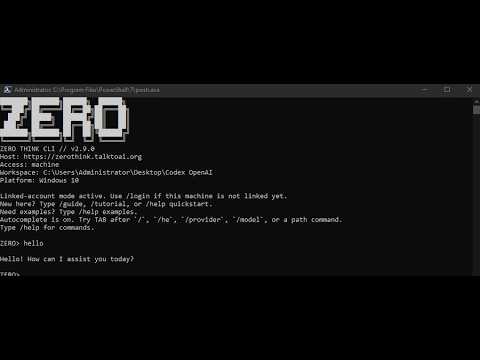
Watch the ecosystem overview: TalkToAI: Sovereignty Through ZeroThink and OpenZero Infrastructure. It shows how ZeroThink, OpenZero, local-first infrastructure, and the wider TalkToAI product stack fit together.
OpenZero is for people searching for:
- self-hosted AI agent
- local AI node
- CPU-first LLM server
- Ollama web panel
- OpenAI-compatible local API
- private AI assistant server
- ZeroThink local machine bridge
- local-first AI infrastructure
- AI agent with web reading
- offline AI release bundle
- Linux AI operator panel
- local voice AI server
- OpenZero Linux ISO
- ZeroMint OS local AI workstation
- ZeroThink - web AI workbench and Neural Vault.
- TalkToAI Docs - ecosystem manuals, guides, PDFs, and project map.
- FreeWebPanel - free-core Linux hosting control panel.
- ZSEC - security-only Linux update utility.
- FrontDeskAgent - self-hosted AI receptionist.
This public repository contains installable open-core code. Production-only Hive HQ server internals, database credentials, private infrastructure settings, model weights, generated keys, runtime vaults, backups, and release archives are not committed here.
Code published to GitHub is viewable by design. The professional pattern for private or commercial extensions is:
- keep open-core node logic public here;
- keep premium modules in private repositories, hosted APIs, private package feeds, or compiled/signed extension bundles;
- expose stable extension hooks and configuration in the open core;
- verify private extensions with checksums, signatures, and license tokens;
- document what is open and what is commercial.
Read more: openzero/docs/PREMIUM_EXTENSIONS.md
OpenZero is operator software. Treat it like a local admin tool:
- do not expose the Super Panel publicly without strong network controls;
- do not commit
.envfiles or API keys; - rotate OpenZero API keys if exposed;
- prefer local-only, private LAN, SSH tunnel, or VPN access for admin surfaces;
- review SECURITY.md and openzero/docs/SECURITY_MODEL.md.
This repository is source-available under the OpenZero Community Source License in LICENSE. It is intended for inspection, learning, personal use, internal business use, and contributions. Commercial resale, managed hosting, or claiming the project as your own product requires written permission.