
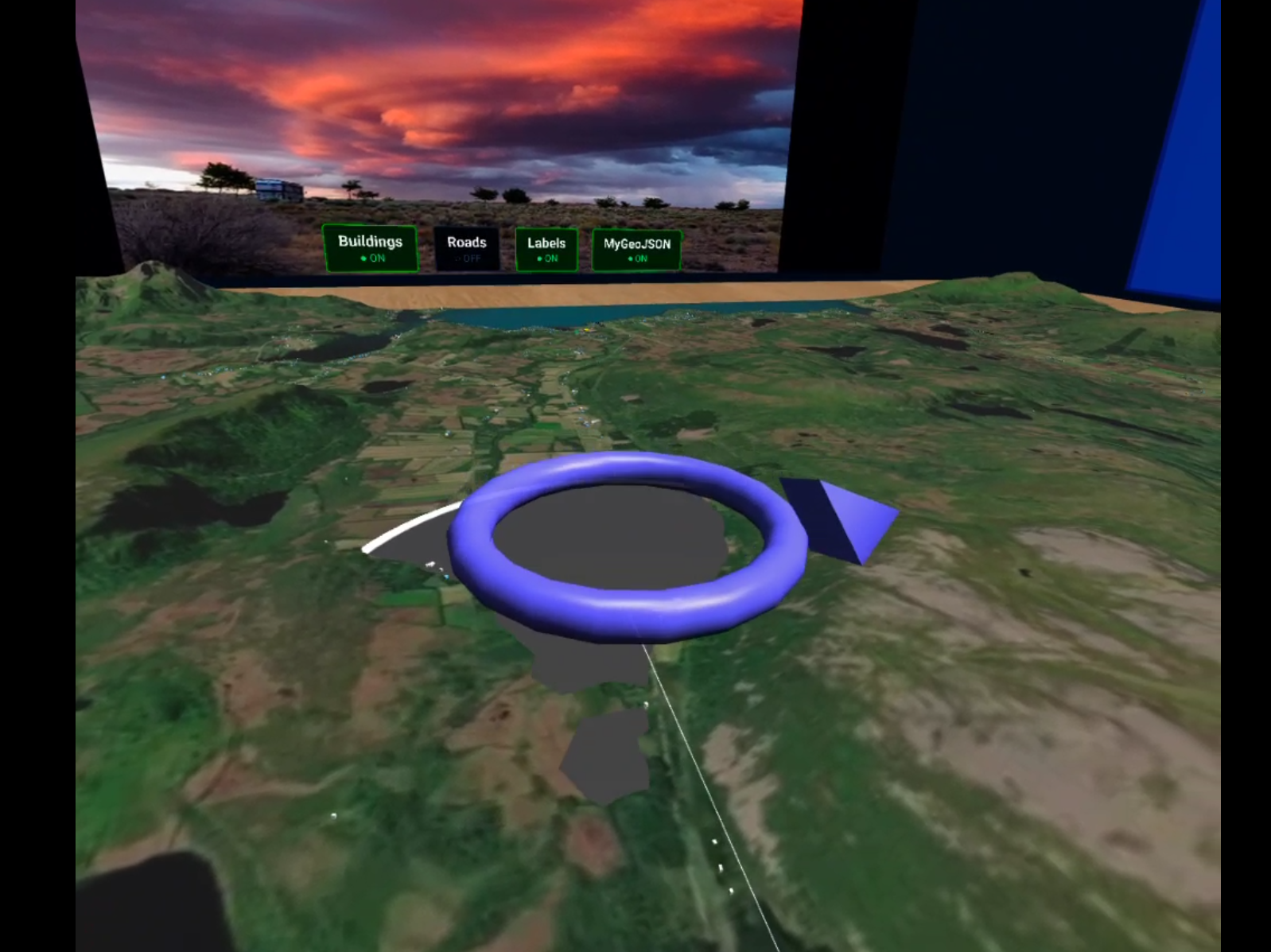
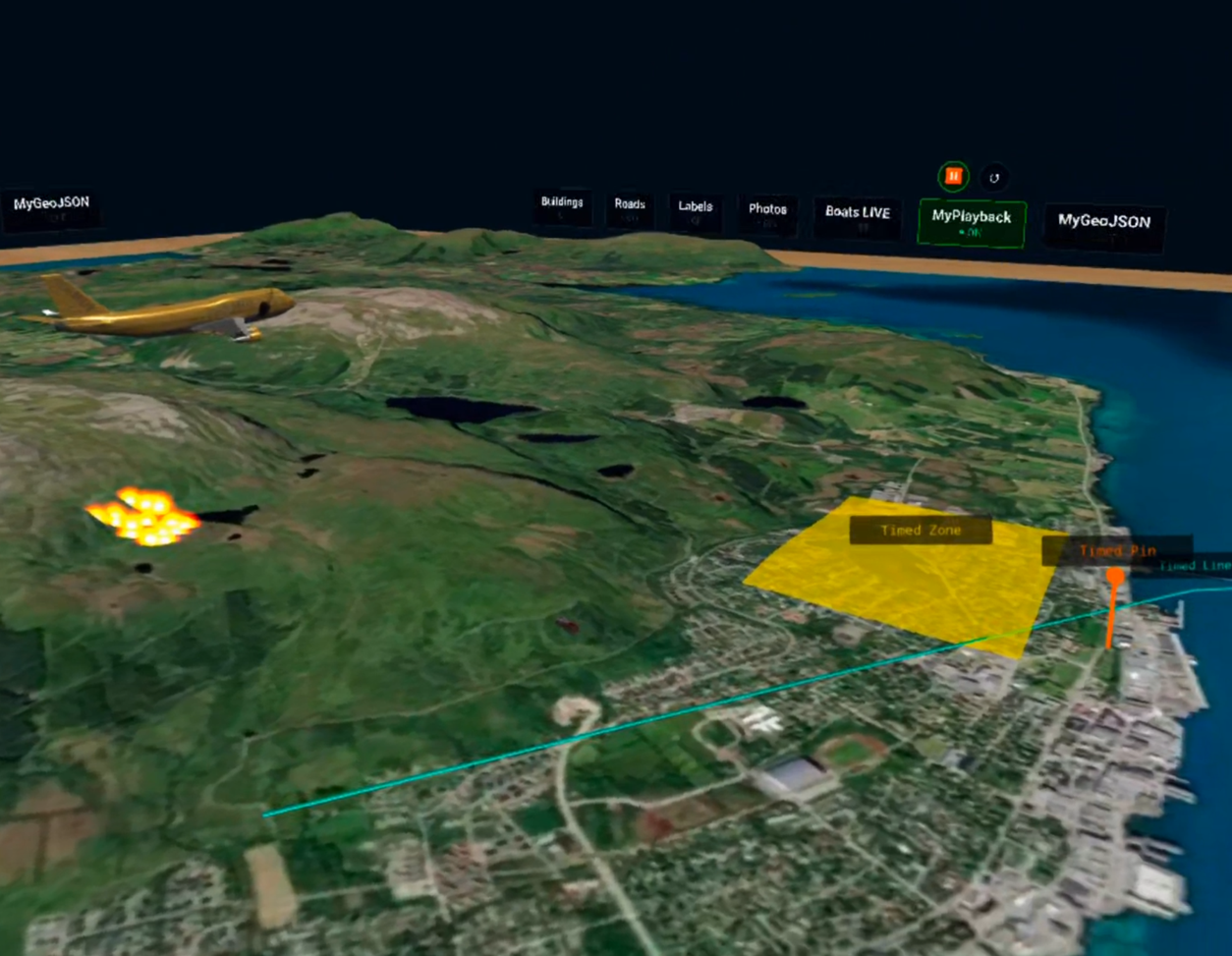
An interactive tabletop-scale VR terrain viewer built with BabylonJS and Mapbox terrain data, with full WebXR support for VR headsets. Drop GeoJSON files into public/data/ to visualise points, polygons, and lines on the terrain with animations, labels, and interactive info panels.
VR and AR are supported via the WebXR API. VR has been tested and is fully functional. AR works via WebXR passthrough but has not been tested or fine-tuned — proper surface anchoring, scaling, and occlusion are planned future work.
Tested on: Brave desktop, Meta Quest 2 and 3.
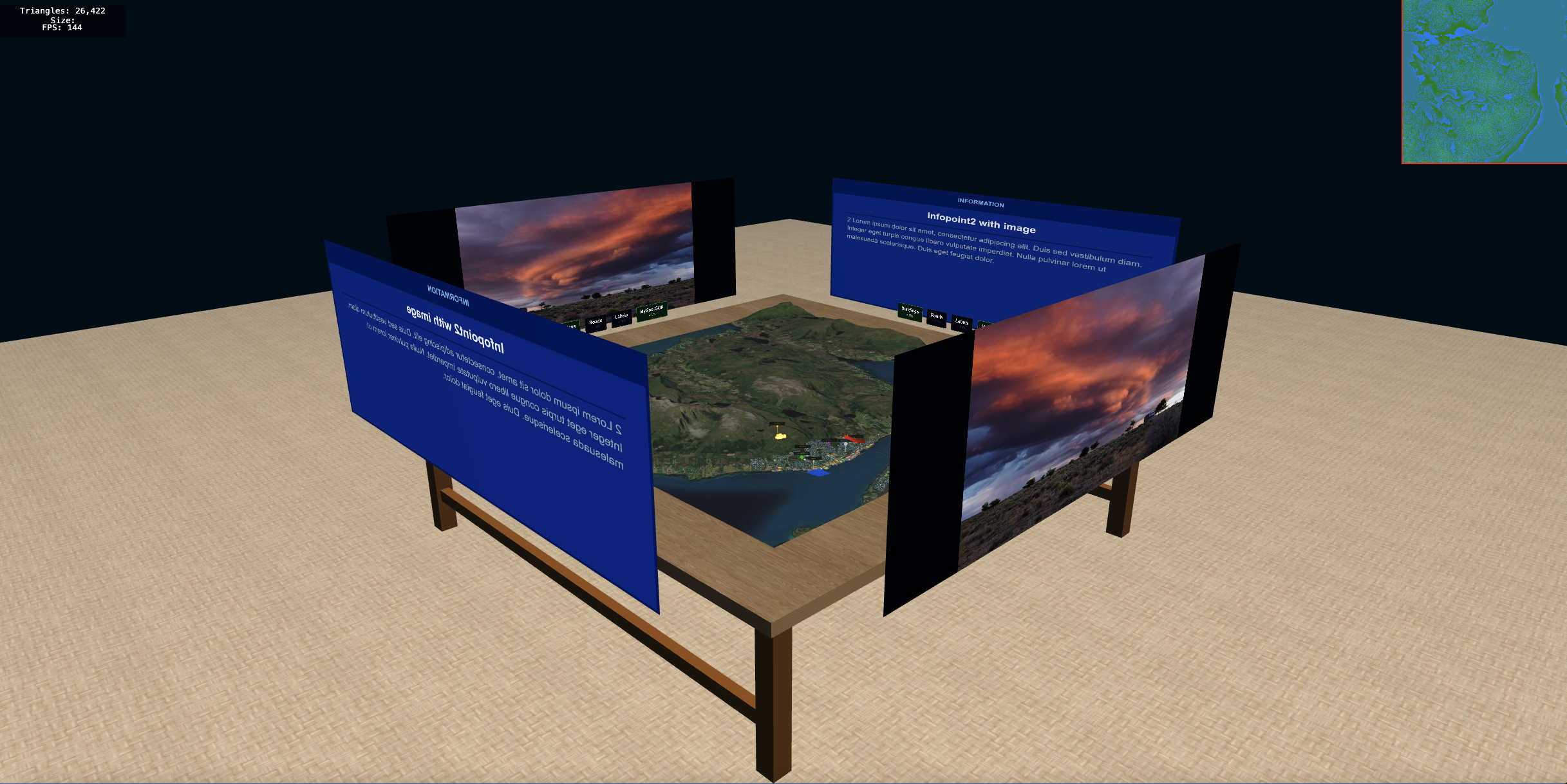 |
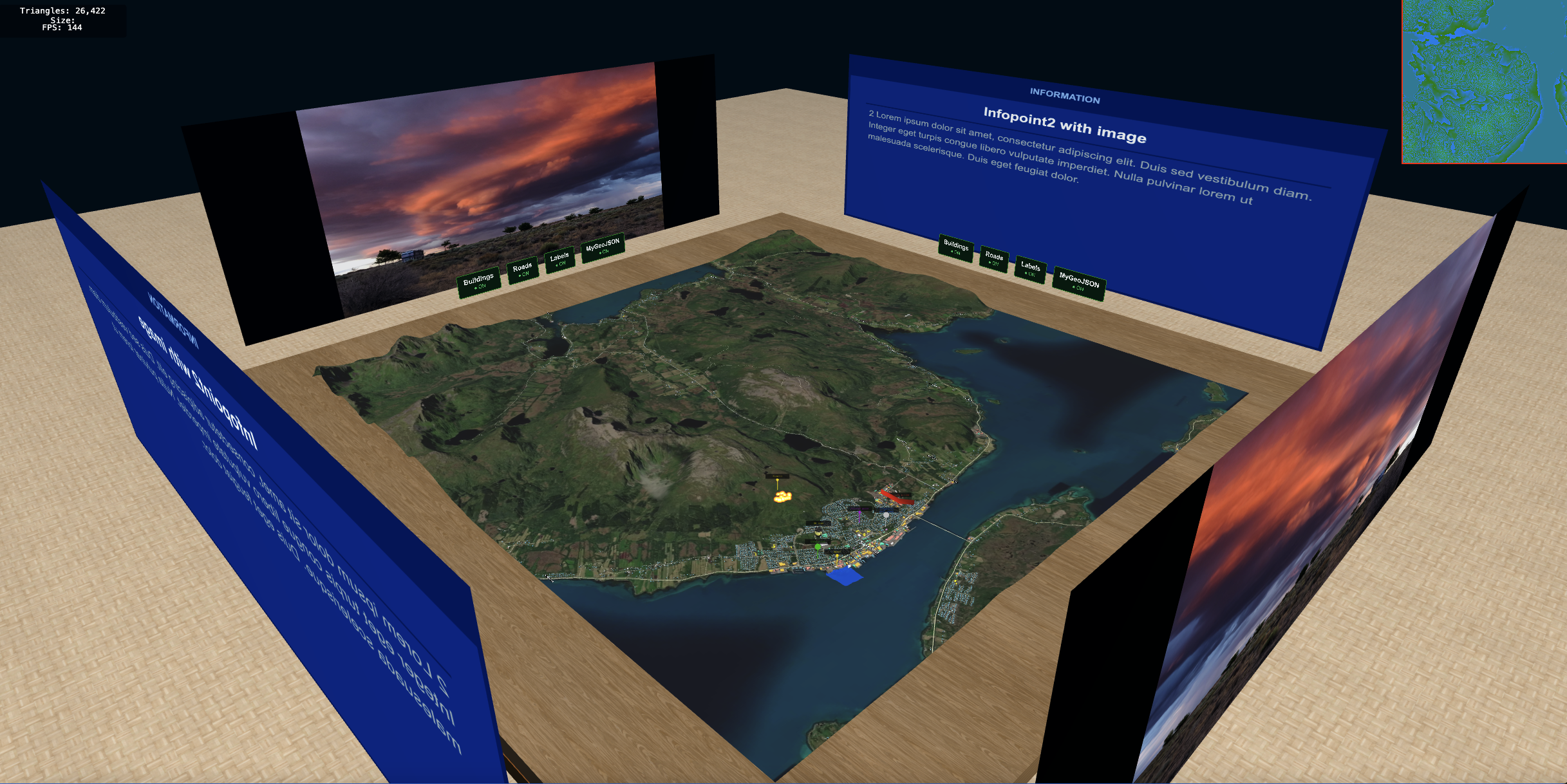 |
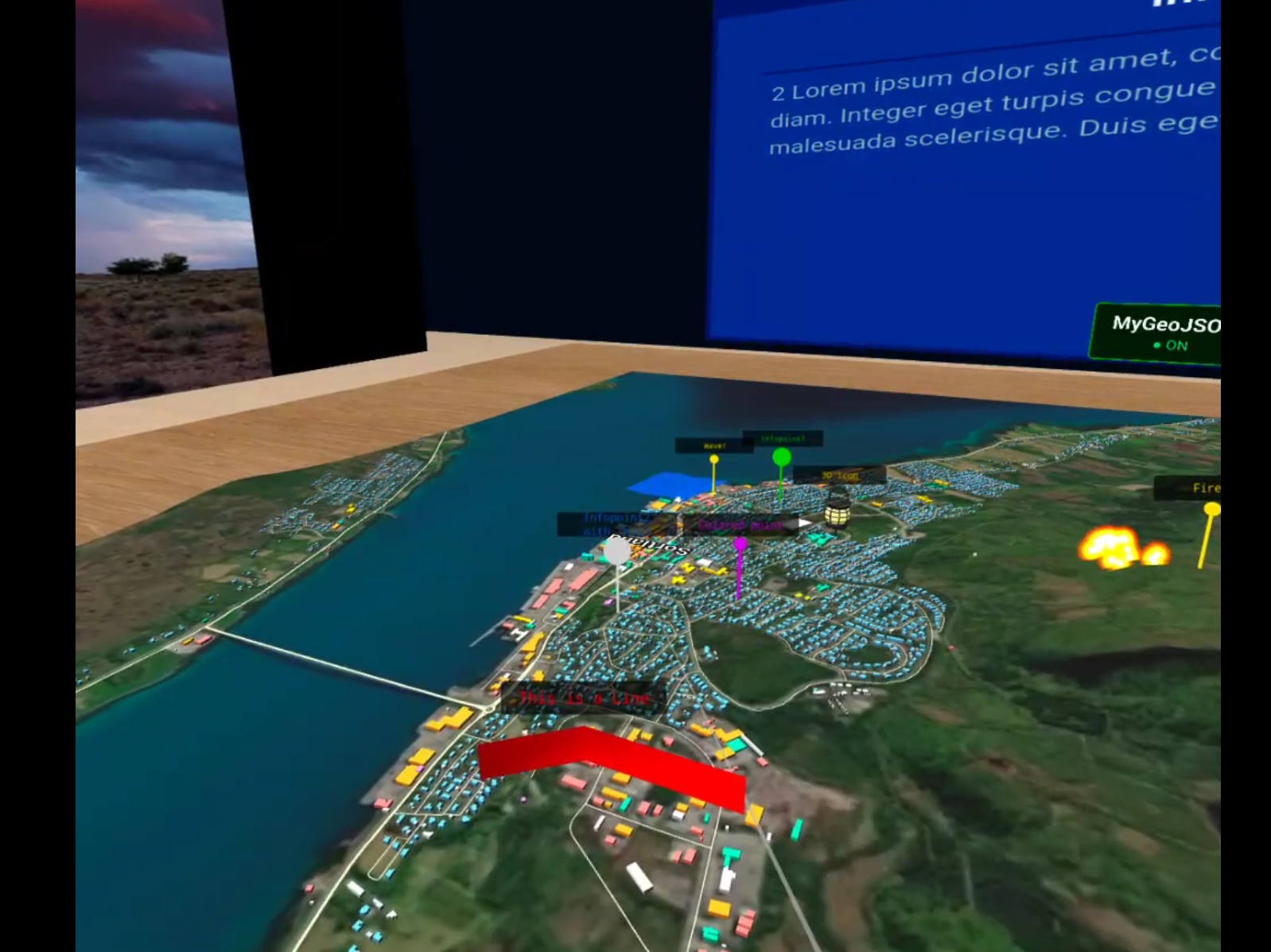 |
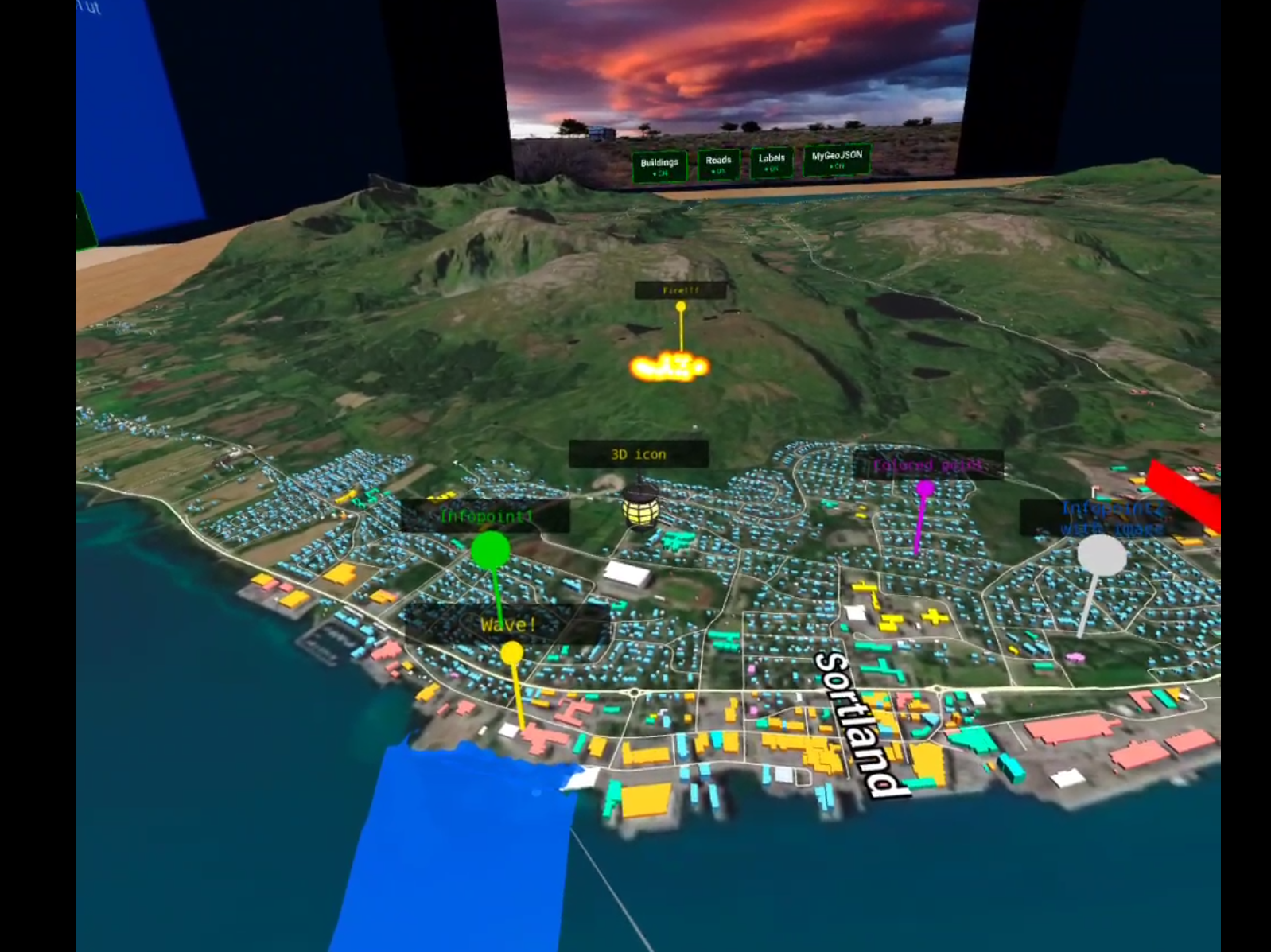 |
 |
 |
 |
 |
 |
 |
- Terrain — real elevation from Mapbox Terrain-RGB DEM tiles, refined by Kartverket 50cm DTM where available. Adaptive mesh simplification via Martini RTIN.
- Satellite texture — Mapbox satellite imagery draped over the terrain.
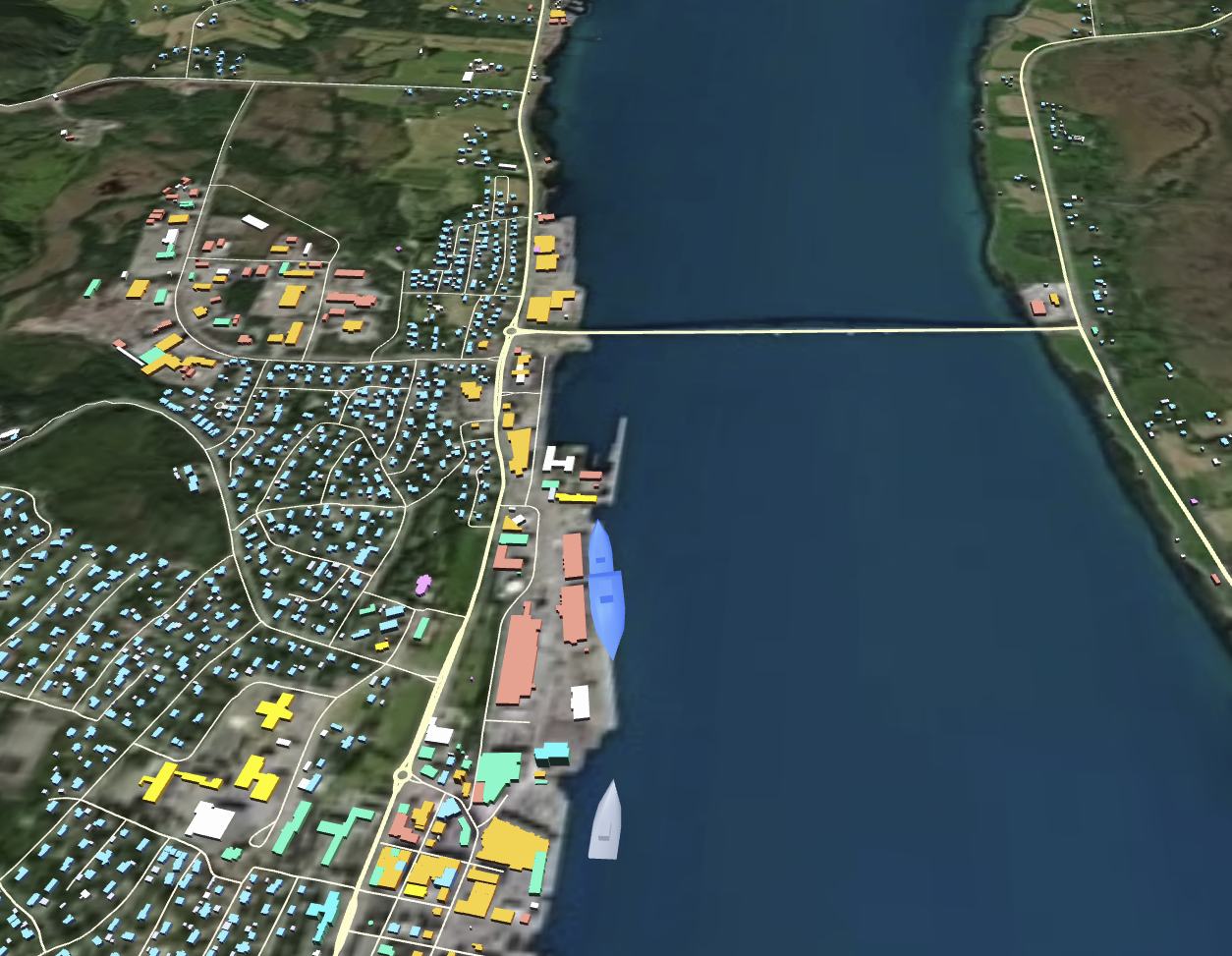
- OSM layers — buildings (colour-coded by type), roads, and place labels fetched from OpenStreetMap via Overpass API, cached in
localStoragefor 7 days. - GeoJSON data layers — drop any
.geojsonfile intopublic/data/and it is automatically loaded and assigned a toggle button. Supports:- Points — stick + bubble pins, optional 3D GLB model, click-to-show info on projection walls
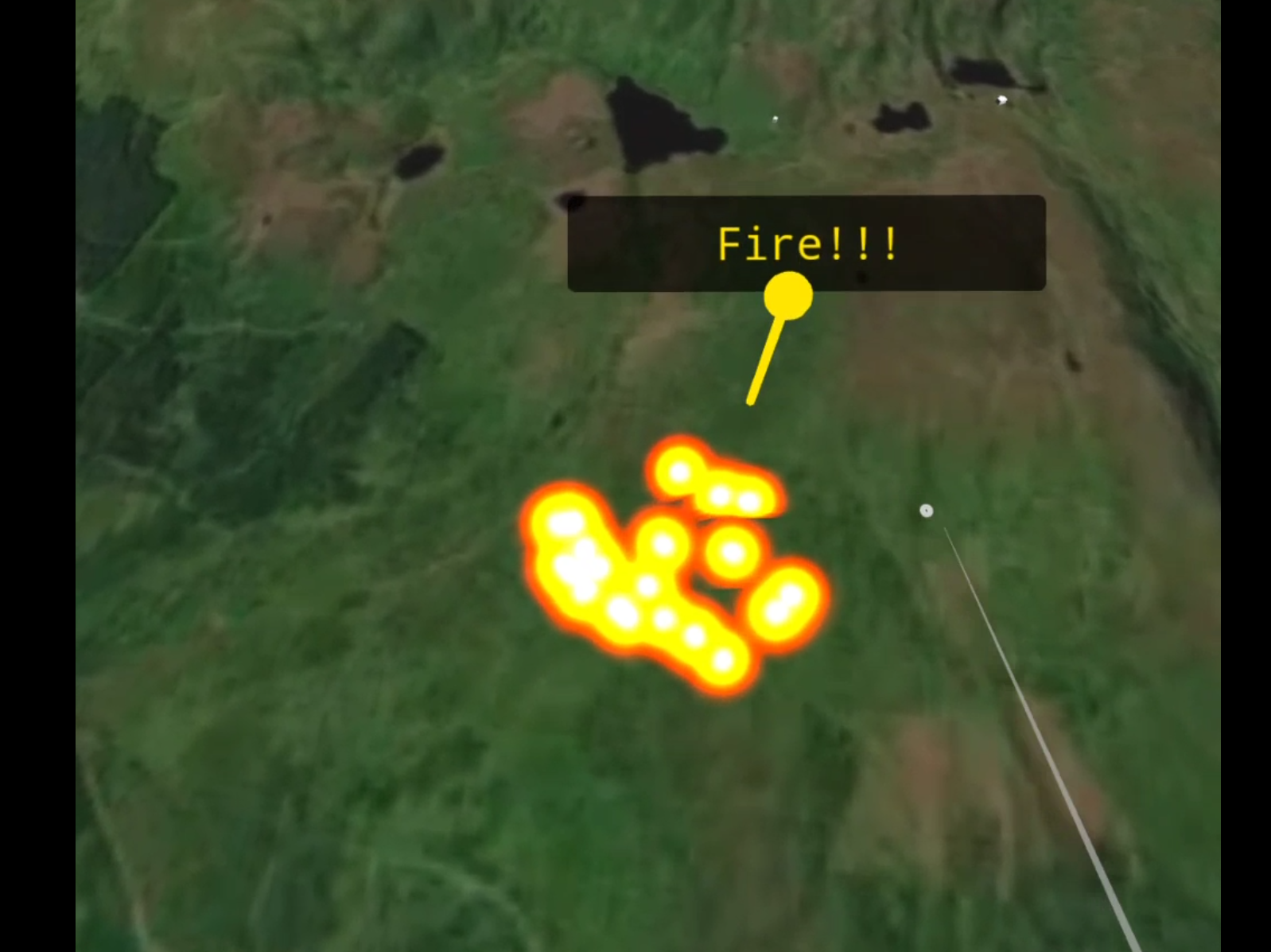
- Polygons — coloured fill, fire particle animation, or wave animation
- Lines — flat ribbons or vertical walls with labels
- Playback / timed presentations — mark a GeoJSON file with
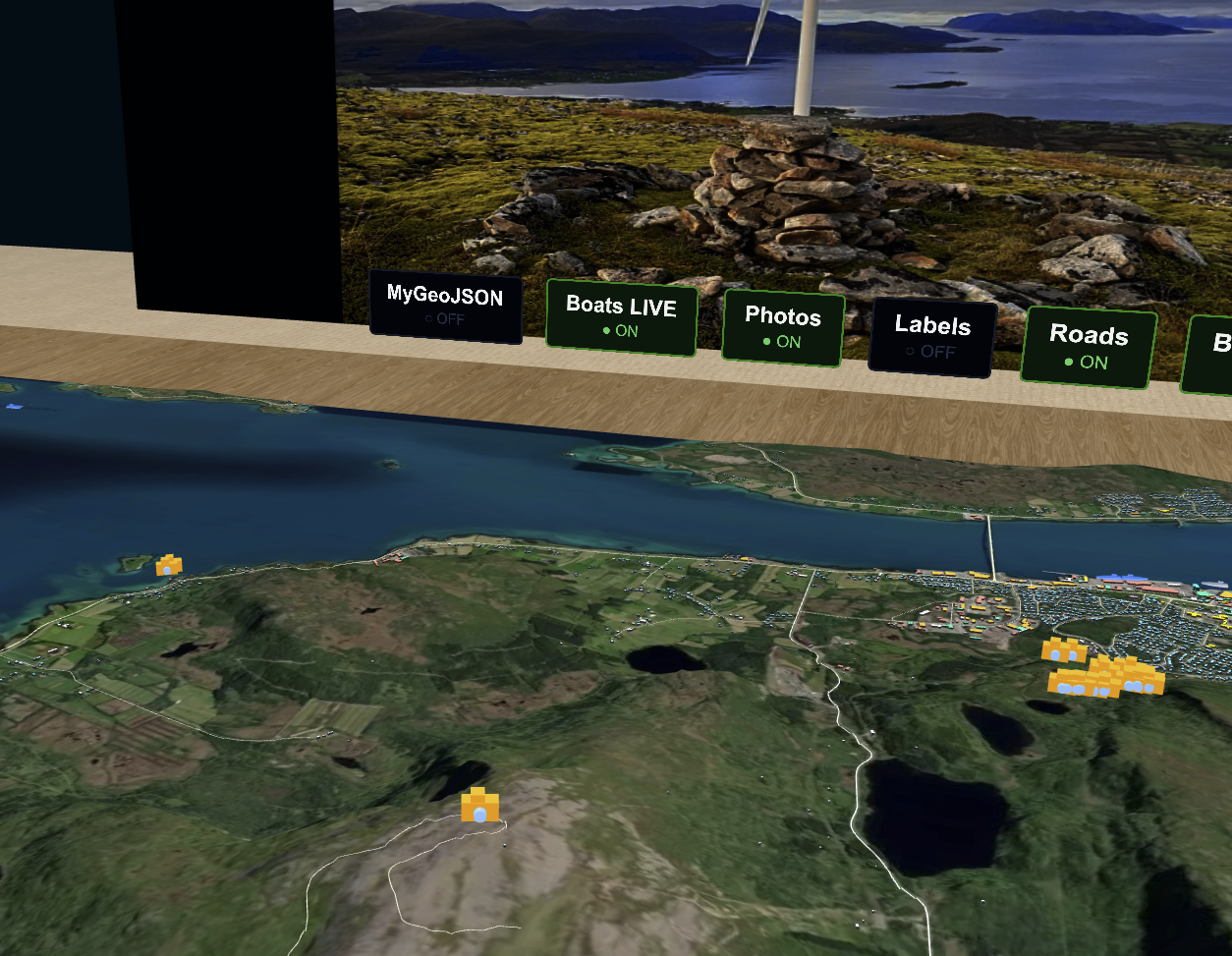
"playback": trueto turn it into a timed spatial story. Play/pause and restart controls appear above its layer toggle. Any feature (pin, polygon, line, fire zone, wave area) can carrystartTime/endTimeto appear and vanish at precise moments. Dedicated playback-only animations: a 3D model that travels a LineString path (move), ambient audio cues (justaudio), and full-wall image or video projections (projection-photo,projection-video). Fully authored in GeoJSON — no timeline editor or video tooling required. - Wikimedia Commons photos — geotagged photos near the terrain tile are fetched from the Wikimedia Commons API and placed as 3D camera icons on the terrain surface. Clicking an icon shows the photo and metadata on the projection walls.
- Country-specific API gating — a
COUNTRYconstant inmain.tscontrols which country-specific layers and APIs are loaded for the current scene. Set it to the target country (e.g."norway") and only the APIs relevant to that region are activated. Global APIs (OSM, Wikimedia Commons) always load regardless ofCOUNTRY. This makes it straightforward to adapt the app to a different geographic region without leaving unused API calls or credential requirements active. - Live AIS vessels (Norway) — real-time vessel positions from the BarentsWatch Live AIS API are rendered as animated 3D boat models on the terrain. Clicking a vessel shows its name, type, speed, heading, and other AIS data on the projection walls. Requires BarentsWatch API credentials in
.env. Country-gated via theCOUNTRYconstant inmain.ts. - Toggle buttons — physical 3D buttons placed around the table edge, one per layer per side. Button width auto-fits the label text.
- WebXR — VR and AR modes, teleportation locomotion, pointer selection, compatible with any OpenXR headset (Quest, Vive, Index, etc.).
- Caching & performance — OSM data is cached in
localStorageto avoid redundant API calls. The terrain mesh uses adaptive simplification (Martini RTIN) to keep polygon count low, making it viable on mobile GPUs.
Datasets, APIs, and related visualizations have been previously tested on the open-source GeoBed3D testbed, developed by the HCI group - SINTEF Digital.
- Node.js 18+
- A Mapbox access token
npm install
cp .env.example .env
# Edit .env and replace pk.your_token_here with your actual token
npm run dev
Open the URL shown in the terminal (default https://localhost:5173). HTTPS is required for WebXR — the dev server uses a self-signed certificate via @vitejs/plugin-basic-ssl.
npm run build
# Production output is in dist/
Deploy the contents of dist/ to any static web host. Update the base path in vite.config.ts to match your server subdirectory before building.
WebXR requires HTTPS. The dev server already serves over HTTPS on your local machine, but your headset needs to reach it over your local network.
Find your machine's local IP address:
# macOS / Linux
ipconfig getifaddr en0

# Windows
ipconfig   # look for IPv4 Address under your Wi-Fi adapter
Then open https://192.168.x.x:5173 in the Quest browser (or any headset browser). You will get a certificate warning — tap Advanced → Proceed to continue. This is expected with a self-signed cert on a local server.
Connecting via USB avoids Wi-Fi latency and certificate issues on Quest:
# Requires Android SDK Platform Tools (adb)
adb devices                        # confirm Quest is connected and authorised
adb reverse tcp:5173 tcp:5173      # forward the port to the headset
# Then open https://localhost:5173 in the Quest browser
With adb reverse, the Quest resolves localhost:5173 directly to your machine — no IP needed, cert warning may not appear.
When a compatible headset is detected, an Enter VR (or Enter AR) button appears in the bottom-right corner.
- Open the app URL in the Quest browser.
- Press Enter VR or Enter AR.
- Use the left thumbstick to aim the teleportation arc; release to teleport.
- Point at 3D buttons or info pins and press the trigger to interact.
GeoBoardXR works with any headset that exposes an OpenXR runtime on Windows:
- Start SteamVR (Vive, Index) or your headset's OpenXR runtime.
- Open Chrome or Edge on the PC and navigate to the app URL.
- Press Enter VR — the scene loads directly into the headset.
- Controls map automatically via WebXR Input Profiles:
- Vive wands: touch trackpad to aim, press to teleport.
- Thumbstick controllers: push forward to aim, release to teleport.
Install the Immersive Web Emulator extension, open DevTools → WebXR tab.
Place any .geojson FeatureCollection in public/data/. It is picked up automatically on next server start. See public/data/geojson-guide.html for full property documentation.
FeatureCollection
{
  "type": "FeatureCollection",
  "name": "My Layer",
  "features": [ ... ]
}
The name field becomes the toggle button label.
Point
{
  "type": "Feature",
  "geometry": { "type": "Point", "coordinates": [lng, lat] },
  "properties": {
    "title": "Label text",
    "color": "#ff0000",
    "information": "Text shown on walls when clicked.\nNewlines supported.",
    "image": "photo.jpg",
    "video": "clip.mp4",
    "3dmodel": "model.glb",
    "modelscale": 2.0,
    "modelrotate": 90
  }
}- Infopoints (with
information) default to green#23d110and turn grayish-white when selected. videoandimageare mutually exclusive —videotakes priority. Videos play on two of the projection walls with a click-to-play/pause control; selecting a different infopoint resets playback to the beginning.- GLB files, images, and videos all go in
public/data/alongside the GeoJSON. modelscalemultiplies the default auto-fit scale of the GLB (default1). Use values above1to enlarge, below1to shrink.modelrotaterotates the GLB around the vertical axis in degrees, clockwise, compass-style (0 = original orientation, 90 = turned to face East, 180 = flipped, 270 = facing West). Default0.
Polygon
{
  "type": "Feature",
  "geometry": { "type": "Polygon", "coordinates": [[ [lng,lat], ... ]] },
  "properties": {
    "title": "Zone name",
    "color": "#0044ff",
    "opacity": 70,
    "animation": "fire",
    "startTime": 10,
    "endTime": 40
  }
}
animation accepts "fire" (particle effect) or "wave" (animated water mesh) — polygons only. When an animation is active the polygon fill is hidden and replaced by the animation. startTime/endTime work for all polygon types (including fire and wave) in playback files.
LineString
{
  "type": "Feature",
  "geometry": { "type": "LineString", "coordinates": [[ [lng,lat], ... ]] },
  "properties": {
    "title": "Route name",
    "color": "#ff6600",
    "linewidth": 4,
    "lineheight": 12
  }
}
A tall lineheight relative to linewidth renders as a vertical wall; otherwise the line is a flat ribbon on the terrain.
LineString — moving model (playback)
{
  "type": "Feature",
  "geometry": {
    "type": "LineString",
    "coordinates": [ [lng,lat], [lng,lat,altMetres], ... ]
  },
  "properties": {
    "animation": "move",
    "3dmodel": "ship.glb",
    "modelscale": 1.5,
    "modelrotate": 0,
    "speed": 0.1,
    "title": "MS Nordstjernen",
    "color": "#ffcc00",
    "startTime": 0,
    "endTime": 60
  }
}
Add a third coordinate value (metres above sea level) for flying models; omit it for surface-draped models (ships, cars). title creates a floating label that follows the model; color sets its colour.
Playback-only Point animations
{ "properties": { "animation": "justaudio",        "audio": "narration.mp3", "startTime": 0 } }
{ "properties": { "animation": "projection-photo",  "image": "slide.jpg",    "startTime": 10, "endTime": 25 } }
{ "properties": { "animation": "projection-video",  "video": "flyover.mp4",  "startTime": 30 } }
These use Point geometry (coordinates ignored). justaudio plays an audio file; projection-photo and projection-video fill all four projection walls.
See public/data/buildings-legend.html for the full colour legend. Summary:
| Colour | Type |
|---|---|
🔵 Blue #60a5fa |
Residential |
🟠 Orange #fb923c |
Commercial |
🟢 Green #34d399 |
Office |
🔴 Red #f87171 |
Industrial |
⚫ Slate #94a3b8 |
Garage |
🟡 Amber #fbbf24 |
Education |
🩷 Pink #f472b6 |
Hospital |
🟣 Purple #e879f9 |
Religious |
🩵 Teal #2dd4bf |
Hotel |
💜 Violet #a78bfa |
Stadium |
⬜ Light #cbd5e1 |
Other |
OSM buildings, roads, and place labels are fetched once from the Overpass API and cached in localStorage for 7 days, saving API calls and reducing load time on repeat visits. The terrain mesh is built with Martini RTIN adaptive simplification — triangle count scales with the MAX_ERROR constant in main.ts, keeping the scene lightweight enough for standalone mobile GPUs (tested on Meta Quest 2 and 3).
To force a full data refresh:
localStorage.clear() // run in the browser consoleThe cache key includes tile coordinates, so changing the map area (ANCHOR in main.ts) automatically fetches fresh data for the new location.
src/
├── main.ts                          # composition root — wires all layers together
├── data/
│   ├── types.ts                     # shared types (LatLngAltLike, TerrainData, …)
│   ├── geo.ts                       # pure coordinate math, no BabylonJS dependency
│   ├── TerrainBuilder.ts            # Martini RTIN mesh builder
│   ├── adapters/
│   │   ├── mapboxTerrainAdapter.ts  # Mapbox DEM tile fetch + decode
│   │   └── kartverketElevationAdapter.ts  # Kartverket DTM (Norwegian hi-res DEM)
│   └── loaders/
│       ├── geojsonLoader.ts         # GeoJSON FeatureCollection parser
│       ├── osmBuildingLoader.ts     # Overpass API — buildings (localStorage cache)
│       ├── osmRoadLoader.ts         # Overpass API — roads   (localStorage cache)
│       ├── osmPlaceLoader.ts        # Overpass API — places  (localStorage cache)
│       ├── aisLoader.ts             # BarentsWatch Live AIS API — vessel positions
│       └── wikimediaLoader.ts       # Wikimedia Commons — geotagged photos
├── scene/
│   ├── SceneManager.ts              # BabylonJS engine + scene factory
│   ├── TerrainMesh.ts               # terrain mesh + lat/lng ↔ world coord API
│   ├── BuildingLayer.ts             # OSM building extrusions, merged by type
│   ├── RoadLayer.ts                 # OSM road ribbons
│   ├── PlaceLabels.ts               # OSM place name billboards
│   ├── GeoJSONPointLayer.ts         # pins, GLB models, click-to-info
│   ├── GeoJSONPolygonLayer.ts       # filled polygons, fire, wave
│   ├── GeoJSONLineLayer.ts          # road/wall ribbons with labels
│   ├── GeoJSONMoveLayer.ts          # playback: GLB model travelling a path
│   ├── GeoJSONAudioLayer.ts         # playback: timed audio cues (justaudio)
│   ├── GeoJSONProjectionLayer.ts    # playback: timed wall projections (photo/video)
│   ├── PlaybackController.ts        # play/pause/restart state + elapsed time
│   ├── playbackTiming.ts            # registerTimedVisibility helper
│   ├── BoatLayer.ts                 # live AIS vessel models + click-to-info
│   ├── WikimediaLayer.ts            # geotagged photo icons + click-to-show
│   ├── ToggleButtons.ts             # 3D toggle buttons around table edge
│   ├── ProjectionWalls.ts           # info display panels (text + image + video)
│   ├── Table.ts                     # physical table mesh
│   ├── Room.ts                      # room environment
│   └── billboardUtils.ts            # camera-facing label plane helper
└── xr/
    └── XRManager.ts                 # WebXRDefaultExperience setup
Layer rule: src/data/ never imports BabylonJS. All BabylonJS usage is confined to src/scene/ and src/xr/. Adapters are wired together only in main.ts.
| Library | Version | Role |
|---|---|---|
| Vite | 7 | Build tool + dev server |
| TypeScript | 5.9 | Language |
| BabylonJS | 8 | 3D engine + WebXR |
| Mapbox | — | DEM + satellite tiles |
| @mapbox/martini | 0.2 | Adaptive mesh simplification |
| earcut | 3 | Polygon triangulation |
| geotiff | 3 | GeoTIFF parsing |
Contributions are welcome. Open an issue to discuss before starting:
- Region switching robustness (continuous) — thorough testing of geographic region switching to surface and resolve edge cases, race conditions, and loading bugs across terrain, OSM, and data layers
Overpass API resilience — OSM data (buildings, roads, place labels) is fetched from the publicoverpass-api.deendpoint, which has no availability guarantees. Adding fallback rotation across community mirrors (overpass.kumi.systems,overpass.openstreetmap.ru) would make the first-load experience significantly more reliable- AR tuning — AR mode works via WebXR passthrough but needs calibration for table-scale placement and occlusion on different devices
- Bathymetry & ocean terrain — integrate seafloor elevation data and ocean current / water column datasets as dedicated layers
- Fuzzy cognitive maps — visualise FCM nodes and weighted edges as an interactive 3D graph layer on the terrain (see Sofia Håbrekke's fork for an implementation)
- Avatars & multi-user — shared presence in the same geographic space, with avatar representation and synchronised layer toggles
Video projection — play video content on the projection walls in the scene, alongside images and text- Live data integration (continuous) — connect to external APIs to stream real-time data (sensor feeds, live ocean data,
boat traffic, etc.) Spatial narrative engine — a GeoJSON-driven playback system that turns a FeatureCollection into a timed, audio-visual presentation. A scene that plays out like a guided spatial story, fully authored in GeoJSON with no timeline editor or video tooling required- CMS / API layer — a backend content and data management layer, enabling organisations to publish, version, and serve geospatial datasets directly to the platform (Sanity.io? Pocketbase?)
- AI-assisted content curation — use an LLM to help authors generate, summarise, and organise GeoJSON layer content and playback narratives; natural-language querying of geospatial datasets to surface relevant features automatically
GNU Affero General Public License v3.0 — © 2026 SINTEF
You may use, modify, and distribute this software under the terms of AGPL-3.0. If you run a modified version as a networked service, you must make the source available to users of that service.
This application was developed in the RESIST EU project (grant agreement no. 101093968). GeoBoardXR is a development stage on the path toward the OceanModel application - an interactive VR ocean and terrain model of the Vesterålen archipelago in northern Norway, developed under WP3 (Vesterålen regional partners: Vesterålen Regionråd, Lofotr Næringsdrift AS, and Andfjord Salmon AS). The architecture, XR interaction patterns, and data layer system built here are part of the OceanModel application. Developed by Maria Emine Nylund, Ophelia Prillard, and Costas Boletsis at SINTEF (HCI group) and XR Lab Norway.