Skip to content

Latest commit

ย 

History

62 Commits

Folders and files

NameName
Last commit message
Last commit date
ย 
ย 
ย 
ย 
ย 
ย 
ย 
ย 
ย 
ย 
ย 
ย 

Repository files navigation

Darkly - VS Code Theme

Vibrant yet subtle syntax colours on a dark palette for those long days of coding.
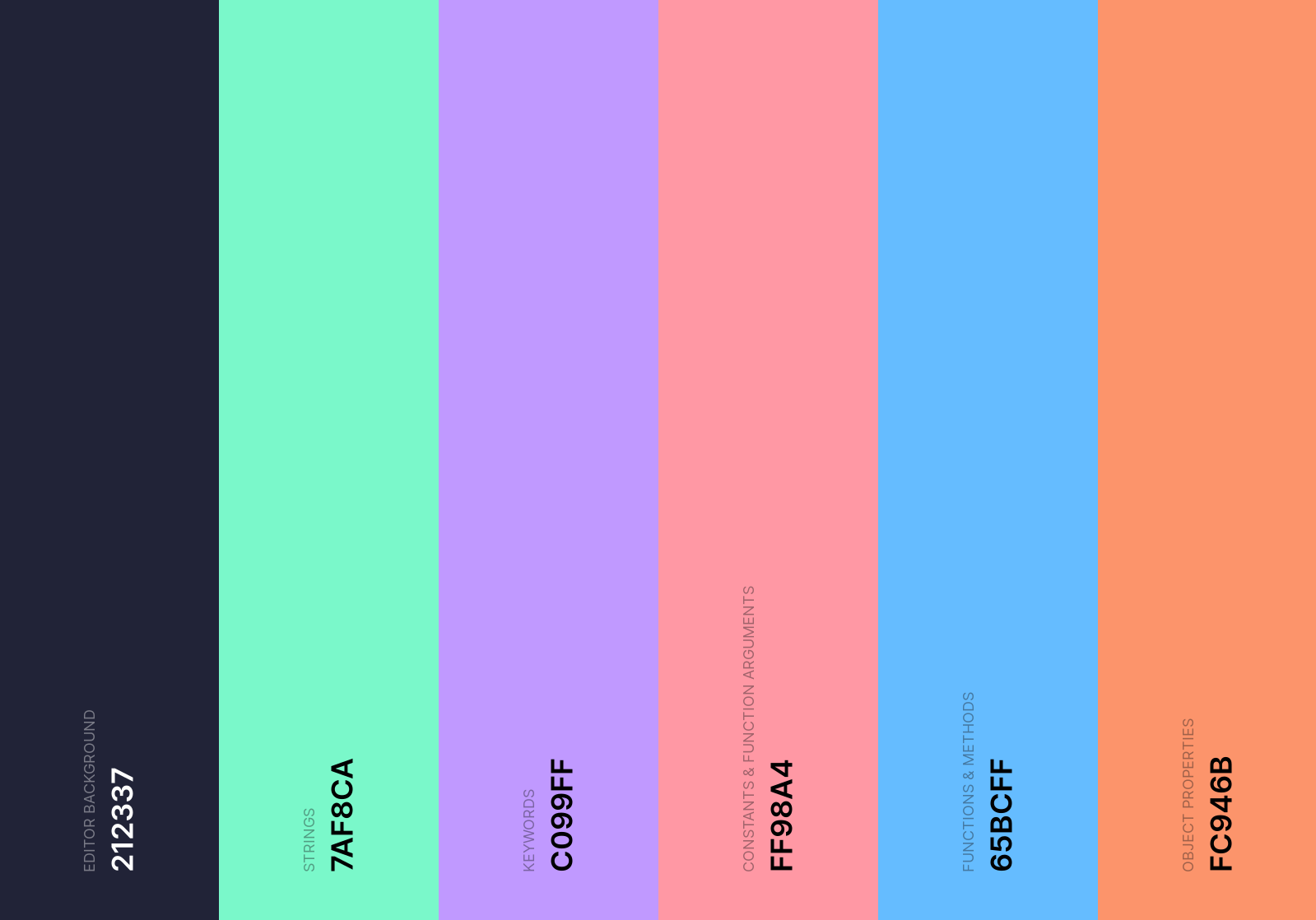
Nightfall Colour Palette

Installation

  1. Open the extensions sidebar on Visual Studio Code
  2. Search for Darkly Theme
  3. Click Install
  4. Click Reload to reload your editor
  5. Select the Manage Cog (bottom left) > Color Theme ๏ผž Darkly Theme
  6. ๐ŸŒŸ๐ŸŒŸ๐ŸŒŸ๐ŸŒŸ๐ŸŒŸ Rate five-stars ๐Ÿ˜ƒ

Issues & Suggestions

For any issues or suggestions, please use GitHub issues

About

A dark vscode theme with vibrant pastel colours for those long days of coding.

Topics

Resources

Stars

3 stars

Watchers

1 watching

Forks

Releases

Packages

Contributors