Skip to content

brianbiwott1433/BRIAN-


Repository files navigation

Typing Animation


📌 How to BRIAN-TECH

Step 1: Get Session ID

Click the button below to quickly generate your WhatsApp session ID:

Step 2: Configure Settings

Before deployment, configure your bot:

  • Option A: Edit config.env file
  • Option B: Use environment variables on your hosting platform

Step 3: Choose Hosting Platform

Deploy the bot on your preferred platform.


🎬 Watch Full Deployment Tutorial (2026)
How to deploy BRIAN TECH on its own hosting - No Deployer Needed!

BWM XMD Deployment Tutorial
⚠️ Click the image or button above to watch on YouTube (GitHub does not support embedded video players)

Step 4: Start Using

Once configured, your bot will be ready to use!
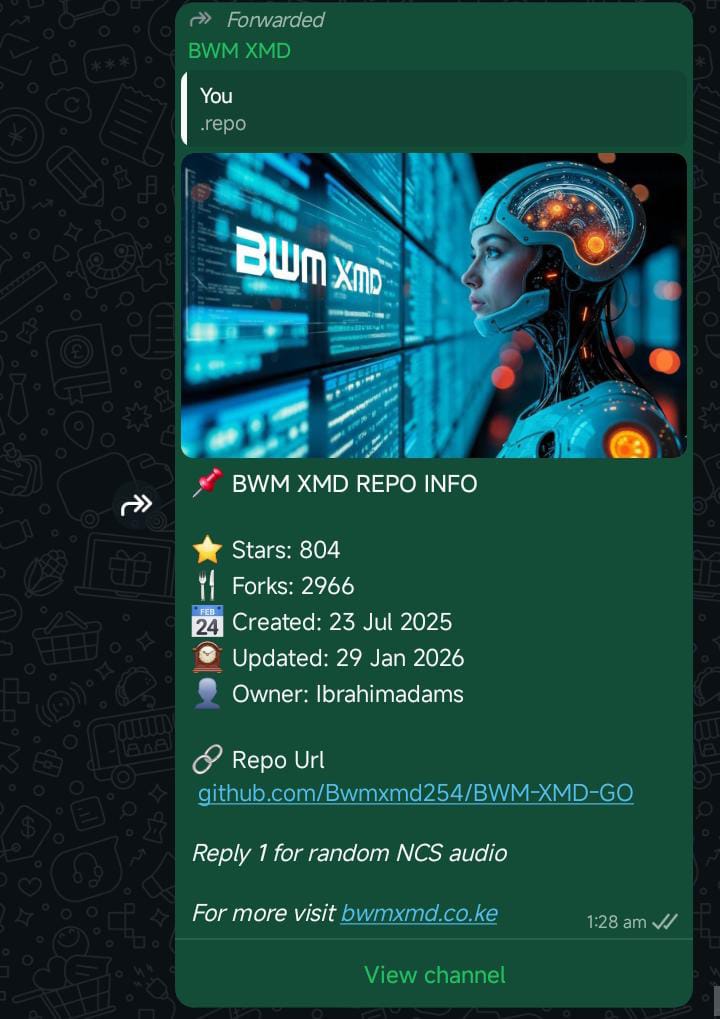

🖼️ Bot Screenshots


Bot Interface

Features Panel

Control Panel

🔧 Additional Resources


📢 Stay Updated


📊 Stats

Views Followers


🟢 Status


Status: 🟢 ONLINE


BRIAN © 2026 | Developed by BRIAN KIPZ

About

BRIAN Smart assistant for tech, tools & APIs ⚙️ Web solutions & automation Available 24/7 for your digital needs

Resources

Security policy

Stars

Watchers

Forks

Packages


Contributors

Languages

  • JavaScript 99.4%
  • Procfile 0.6%