|
Built by Dr. Ferdi Iskandar · Sentra Artificial Intelligence 


|
This isn't a usage guide — it's a mechanism guide. Past the front page, every section traces what actually happens to a prompt between the moment a user hits "optimize" and the moment a validated six-heading super-prompt comes back. If you're contributing to lib/optimizer/, lib/templates/, or lib/evaluator/, start at Why Six Headings, then Core Mechanics.
Front Page · Why Six Headings · Core Mechanics · Full Feature Map + Engine Internals · Provider Matrix · System Architecture · Setup · Project Structure · Commands · Tech Stack · Security · Operating Standard
Myprompt is a multi-LLM prompt transformation platform. It takes raw, unstructured ideas and turns them into precision-crafted, structured super-prompts — optimized for clarity, specificity, and LLM performance across any provider.
It runs as a web application (port 3013) and as a native desktop shell built on Electron, with real-time streaming output, two optimizer speed lanes, and full provider flexibility.
|
Raw prompts are vague. Vague prompts produce mediocre LLM output. Most engineers and clinicians write prompts the same way they write messages — without structure, without role clarity, and without thinking about how a model actually parses intent. |
Every raw input passes through a transformation engine that restructures it into a six-heading super-prompt: ROLE · TASK · CONTEXT · APPROACH · CONSTRAINTS · OUTPUT FORMAT. This structure is model-agnostic, provider-agnostic, and reproducible. |
A production-ready prompt with clear persona assignment, explicit task scoping, contextual grounding, methodological approach, hard constraints, and output format specification — ready to paste into any LLM interface. |
The six-heading format isn't arbitrary — each heading does one specific job in steering a model's behavior. Drop any one of them and a predictable failure mode shows up.
| Heading | What it controls | What breaks if it's missing |
|---|---|---|
| ROLE | Persona-conditioning — primes the model's vocabulary, depth, and assumptions ("senior backend engineer" vs. no role at all) | Generic, average-of-the-internet answers with no domain register |
| TASK | An explicit, scoped instruction — one verb, one deliverable | The model guesses intent and answers the wrong question |
| CONTEXT | Domain facts and background the model can't infer on its own | Hallucinated assumptions filling the gap you left open |
| APPROACH | Reasoning method — step-by-step, TDD-first, compare-then-decide | The model picks its own (often shallower) reasoning path |
| CONSTRAINTS | Explicit boundaries — what to avoid, hard limits, edge cases to skip | Scope creep; the model "helpfully" does more than asked |
| OUTPUT FORMAT | Structure, length, tone, rendering target | Unparseable prose where a structured response was needed |
Before / after, condensed:
RAW INPUT
"write me something about onboarding new employees"

SUPER-PROMPT OUTPUT
ROLE            HR operations specialist with SaaS onboarding experience
TASK            Draft a 5-day new-employee onboarding checklist
CONTEXT         Remote-first team, 10-person engineering org
APPROACH        Sequence by day, front-load access/tooling setup
CONSTRAINTS     No legal/compliance language — that's a separate doc
OUTPUT FORMAT   Markdown checklist, under 400 words
The last heading — OUTPUT FORMAT — is also why Myprompt's own parser can extract structured data from streamed LLM output programmatically. The format isn't just a writing convention; it's a contract the rest of the pipeline depends on.
The optimizer is the central engine. It does not just reword your input — it structurally transforms it.
USER INPUT
    │
    ▼
LANE SELECTION
    │   INTERACTIVE — fast, low-latency, ideal for everyday prompts
    │   DEEP        — richer, template-matched, ideal for complex or technical prompts
    ▼
PROMPT BUILDER
    │   Assembles a system prompt + formatted user prompt
    │   DEEP: also runs embedding-based template retrieval
    │   Template matcher finds the closest semantic match from a curated library
    ▼
LLM STREAMING
    │   Sends assembled prompt to selected provider
    │   Stream opened — tokens arrive in real time
    │   Status events emitted: preparing → waiting → streaming
    ▼
PARSER
    │   Extracts the six super-prompt headings from streamed output
    │   Validates structure — regenerates if headings are missing
    ▼
SUPER-PROMPT OUTPUT
        ROLE            ← Who the LLM should be
        TASK            ← What it must do (precise, scoped)
        CONTEXT         ← Background, domain, constraints
        APPROACH        ← Methodology, reasoning style
        CONSTRAINTS     ← What to avoid, limits, format rules
        OUTPUT FORMAT   ← Structure, length, tone, rendering
sequenceDiagram
    participant U as User (Web / Desktop)
    participant API as /api/optimize
    participant ENG as Optimizer Engine
    participant TPL as Template Matcher (DEEP only)
    participant LLM as Provider Adapter
    participant PRS as Heading Parser

    U->>API: POST raw prompt + lane (INTERACTIVE | DEEP)
    API->>ENG: dispatch(lane, rawPrompt)
    alt lane == DEEP
        ENG->>TPL: embed(rawPrompt)
        TPL->>TPL: cosine similarity vs. template library
        TPL-->>ENG: top-k matched template(s)
        ENG->>ENG: inject matched template into system prompt
    end
    ENG->>LLM: stream(systemPrompt, userPrompt)
    LLM-->>U: status: preparing
    opt lane == DEEP
        LLM-->>U: status: waiting (retrieval latency)
    end
    LLM-->>U: status: streaming (tokens)
    LLM-->>PRS: full response
    PRS->>PRS: extract ROLE / TASK / CONTEXT / APPROACH / CONSTRAINTS / OUTPUT
    alt heading missing
        PRS->>LLM: regenerate with stricter format instruction
        LLM-->>PRS: full response (retry)
    end
    PRS-->>U: validated super-prompt
flowchart LR
    A[Raw Prompt] --> B["embeddings/generator.ts<br/>text → vector"]
    B --> C[Vector 1×N]
    C --> D["embeddings/similarity.ts<br/>cosine distance"]
    D --> E["templates/loader.ts<br/>curated template library"]
    E --> F[Score every template]
    F --> G{Top match above<br/>similarity threshold?}
    G -- yes --> H["templates/renderer.ts<br/>inject into system prompt"]
    G -- no --> I[Fallback —<br/>behaves like INTERACTIVE]
    H --> J[Prompt Builder]
    I --> J
The fallback path matters as much as the match path: if nothing in the library clears the similarity threshold, DEEP doesn't force a bad match — it silently degrades to INTERACTIVE-equivalent behavior rather than injecting irrelevant template context.
lib/optimizer/super-prompt-format.ts extracts the six headings from streamed output using structured parsing, not a single greedy regex — each heading has to appear with its own boundary before the next one starts. If a heading is missing or empty, the engine fires one regeneration pass with a stricter format instruction appended to the system prompt. If the retry still comes back incomplete, the raw output is returned to the user with a structure-validation warning rather than failing silently. (Retry count and threshold are tunable — check super-prompt-format.ts for the current limit before documenting it as a hard guarantee elsewhere.)
| Dimension | INTERACTIVE | DEEP |
|---|---|---|
| Speed | Fast — direct prompt build, no retrieval | Slower — adds embedding + template matching |
| Template retrieval | None | Semantic cosine similarity against prompt library |
| Best for | Everyday prompts, quick iterations | Complex, technical, or high-stakes prompts |
| Status events | preparing → streaming | preparing → waiting → streaming |
| Output depth | Standard structured super-prompt | Richer super-prompt with retrieval-informed context |
| Extra token overhead | None — system prompt only | Template context adds to system prompt length |
| Failure mode | Heading parse failure → one retry | Heading parse failure → one retry; no-match → silent INTERACTIVE fallback |
|
Raw Idea → Structured Super-Prompt Takes any raw input — a sentence, a fragment, a rough idea — and produces a six-heading super-prompt. Two lanes: INTERACTIVE for speed, DEEP for depth. Real-time streaming with live status display. Format enforced: ROLE · TASK · CONTEXT · APPROACH · CONSTRAINTS · OUTPUT FORMAT |
Prompt Rewriting Engine Rewrites existing prompts across tone, persona, and intent dimensions. Switch between casual, professional, creative, and technical modes. Preserves the core meaning while restructuring delivery for a specific LLM audience. Use case: adapting a prompt written for GPT-4 to work better with Claude, or shifting from technical to plain language. |
|
Prompt Quality Scoring Scores any prompt across four dimensions: clarity, specificity, actionability, and output quality. Surfaces weak spots with structured feedback. Does not rewrite — it diagnoses. Dimensions: Clarity · Specificity · Actionability · Output Quality |
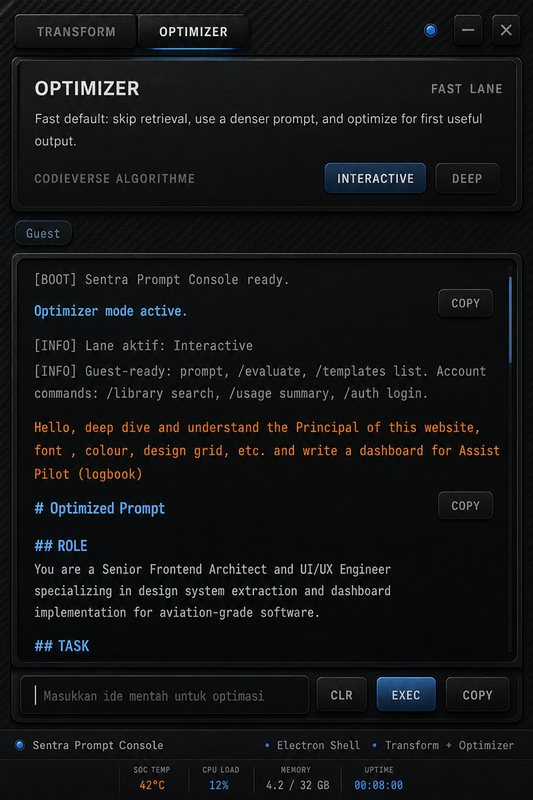
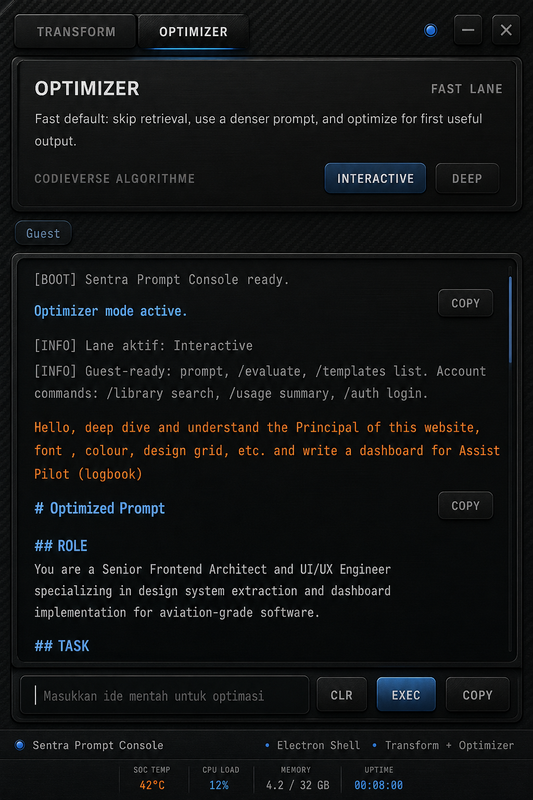
Native Electron Terminal Interface A console-style desktop application for running Optimizer and Transformer locally. No browser required. Full real-time streaming. Keyboard-driven, dark-themed, purpose-built for prompt engineering sessions. Platform: Windows, macOS, Linux · IPC bridge for main–renderer communication |
|
Native Indonesian Prompt Engineering Processes raw input directly in Bahasa Indonesia — no forced translation pass before optimization. The six-heading format maps natively, so the structural rigor doesn't get lost going from English to Indonesian:
Use case: tim klinis, akademik, atau korporat di Indonesia yang menulis instruksi langsung dalam Bahasa Indonesia tanpa harus melalui terjemahan ke Inggris dulu. |
|
These are implementation-level notes for contributors working inside lib/. Where exact constants live in code rather than docs, that's flagged explicitly instead of guessed at.
Optimizer — strategy pattern. lib/optimizer/strategies.ts implements INTERACTIVE and DEEP as two concrete strategies behind a shared interface (buildPrompt(), shouldRetrieveTemplate()). engine.ts only knows which strategy to dispatch to — it doesn't branch on lane logic itself. Adding a third lane means writing a new strategy, not touching the dispatcher.
Transformer — mode matrix. Each mode shifts the same four levers: tone marker, sentence length, vocabulary register, and structural change. This is the documented intent for lib/transform/engine.ts — confirm against the live implementation before treating exact wording as final.
| Mode | Tone marker | Vocabulary register | Structural change |
|---|---|---|---|
| Casual | Contractions, direct address | Everyday words, minimal jargon | Shorter sentences, fewer subordinate clauses |
| Professional | Neutral, declarative | Domain-standard terminology | Balanced sentence length, clear topic sentences |
| Creative | Varied rhythm, figurative language allowed | Broader, more associative vocabulary | Looser structure, room for narrative framing |
| Technical | Precise, unambiguous | Field-specific terms, defined on first use | Numbered steps, explicit preconditions |
Evaluator — scoring methodology. Each dimension in lib/evaluator/dimensions.ts runs an independent heuristic check, then lib/evaluator/scoring.ts combines all four into one composite score.
flowchart TD
    P[Input Prompt] --> C1[Clarity]
    P --> C2[Specificity]
    P --> C3[Actionability]
    P --> C4[Output Quality]
    C1 --> AGG["scoring.ts<br/>weighted aggregate"]
    C2 --> AGG
    C3 --> AGG
    C4 --> AGG
    AGG --> R[Composite score]
    AGG --> FB[Structured feedback<br/>per weak dimension]
What each dimension actually checks:
- Clarity — flags ambiguous pronouns, undefined jargon, multiple unrelated asks bundled into one prompt.
- Specificity — rewards concrete nouns, numbers, and named entities; penalizes filler like "something" or "good."
- Actionability — checks for an explicit deliverable verb (write, compare, calculate) vs. an open-ended statement with no clear output.
- Output Quality — a forward-looking proxy: how well-formed the eventual LLM response is likely to be, given the prompt's structure.
Weighting between dimensions is configured in scoring.ts — document the exact weights there once they're finalized rather than restating a number here that could drift out of sync with the code.
Desktop shell — IPC contract. Every renderer-to-main call goes through a typed handler in desktop/ipc/, validated at the boundary (see Security, below) before it reaches Electron's main process. The renderer never gets direct Node access — nodeIntegration stays off.
| Provider | Models Available | Mode |
|---|---|---|
| Anthropic | Claude Opus 4, Sonnet 4.6, Haiku 4.5 | API key (BYOK) |
| OpenAI | GPT-4o, GPT-4o mini, GPT-4 Turbo | API key (BYOK) |
| xAI | Grok-2, Grok-2 Vision | API key (BYOK) |
| Mistral | Mistral Large, Mistral Nemo | API key (BYOK) |
| OpenAI-compatible | Any model via custom base URL | OpenRouter, Pioneer, local endpoint |
BYOK = Bring Your Own Key. No keys are stored server-side. All provider credentials are encrypted client-side and never logged.
Every provider in lib/llm/providers/ implements the same adapter contract — a single streamCompletion() interface that the engine layer calls without knowing which provider is underneath. Adding a new provider means writing one adapter file, not touching the optimizer, transformer, or evaluator.
WEB UI / DESKTOP SHELL
    │
    ▼
API ROUTES (Next.js App Router)
    │   /api/optimize   → Optimizer engine (INTERACTIVE / DEEP)
    │   /api/transform  → Transformer engine
    │   /api/evaluate   → Evaluator engine
    │   /api/auth/*     → Supabase Auth handlers
    ▼
ENGINE LAYER (lib/)
    │
    ├── optimizer/
    │       engine.ts       ← lane dispatch, prompt build, stream control
    │       strategies.ts   ← INTERACTIVE vs DEEP strategy implementations
    │       super-prompt-format.ts ← heading parser and formatter
    │
    ├── transform/
    │       engine.ts       ← transformation logic
    │       schemas.ts      ← Zod contracts for transform requests
    │
    ├── evaluator/
    │       engine.ts       ← scoring orchestration
    │       dimensions.ts   ← per-dimension scoring logic
    │       scoring.ts      ← aggregate score computation
    │
    ├── llm/
    │       provider-registry.ts   ← runtime provider selection
    │       providers/             ← per-provider adapters (streaming)
    │       prompt-builder.ts      ← system + user prompt assembly
    │
    ├── templates/
    │       loader.ts       ← reads curated template library
    │       matcher.ts      ← cosine similarity matching
    │       renderer.ts     ← injects template into DEEP prompt
    │
    └── embeddings/
            generator.ts    ← text → embedding vector
            similarity.ts   ← cosine distance computation
    ▼
SUPABASE (PostgreSQL)
    │   Auth, user data, API key vault (encrypted), usage records
    ▼
ELECTRON (Desktop)
    │   main.ts      ← Electron main process, window manager
    │   preload.ts   ← context bridge (no nodeIntegration)
    │   ipc/         ← IPC handlers for each engine action
    │   renderer/    ← Terminal-style UI, streaming display
The tree above is the file map. This is the same system as a request-routing diagram — useful when you're tracing where a call goes rather than where a file lives.
flowchart TB
    UI[Web UI / Desktop Shell] --> API[Next.js API Routes]
    API -->|/api/optimize| OPT[Optimizer Engine]
    API -->|/api/transform| TRF[Transformer Engine]
    API -->|/api/evaluate| EVL[Evaluator Engine]
    OPT --> TPL[Template Matcher]
    OPT --> LLMR[LLM Provider Registry]
    TRF --> LLMR
    EVL --> LLMR
    TPL --> EMB[Embeddings Layer]
    LLMR --> PROV1[Anthropic]
    LLMR --> PROV2[OpenAI]
    LLMR --> PROV3[xAI]
    LLMR --> PROV4[Mistral]
    LLMR --> PROV5[OpenAI-compatible]
    API --> AUTH[Supabase Auth]
    AUTH --> DB[(Supabase PostgreSQL)]
    OPT -. IPC .-> ELECTRON[Electron Desktop Shell]
Requirements
- Node.js ≥ 22
- pnpm 9.x
- Supabase project (free tier works)
- At least one LLM provider API key
Step 1 — Clone and install
git clone https://github.com/drferdii/Myprompt.git
cd Myprompt
pnpm install
Step 2 — Configure environment
cp .env.example .envOpen .env and fill in:
| Variable | Description | Required |
|---|---|---|
DATABASE_URL |
Supabase PostgreSQL connection string | ✅ |
NEXT_PUBLIC_SUPABASE_URL |
Supabase project URL | ✅ |
NEXT_PUBLIC_SUPABASE_ANON_KEY |
Supabase anon key | ✅ |
SUPABASE_SERVICE_ROLE_KEY |
Service role key (server-side only) | ✅ |
ANTHROPIC_API_KEY |
Anthropic (Claude) | optional |
OPENAI_API_KEY |
OpenAI | optional |
XAI_API_KEY |
xAI Grok | optional |
MISTRAL_API_KEY |
Mistral | optional |
OPENAI_BASE_URL |
Custom OpenAI-compatible endpoint | optional |
Step 3 — Initialize database
pnpm db:generate     # generate Prisma client from schema
pnpm db:migrate      # apply migrations to Supabase
Step 4 — Start the web app
pnpm dev # starts at http://localhost:3013Step 5 — (Optional) Run the desktop shell
pnpm desktop:build   # compile Electron renderer + main process
pnpm desktop:start # launch the desktop appMyprompt/
│
├── app/ Next.js App Router
│ ├── api/ API routes (optimize, transform, evaluate, auth)
│ └── (pages)/ Web UI pages
│
├── components/ Shared UI components
│
├── lib/ Core engine layer
│ ├── optimizer/ Prompt optimization engine
│ ├── transformer/ Prompt rewriting engine
│ ├── evaluator/ Prompt scoring engine
│ ├── llm/ LLM provider adapters + registry
│ ├── templates/ Template library loader + matcher
│ ├── embeddings/ Vector generation + similarity
│ ├── auth/ Auth guards and rate limiting
│ ├── billing/ Plan enforcement and subscription
│ ├── db/ Prisma client singleton
│ ├── supabase/ Supabase client variants (server, browser, admin)
│ └── prompt-quality/ Quality scoring contracts
│
├── desktop/ Electron desktop shell
│ ├── main.ts Electron main process
│ ├── preload.ts Context bridge
│ ├── ipc/ IPC handlers per feature
│ └── renderer/ Terminal-style console UI
│
├── prisma/ Database schema + migrations
│ ├── schema.prisma
│ └── migrations/
│
├── __tests__/ Vitest test suites
├── scripts/ Acceptance harness and utilities
├── public/ Static assets
├── types/ Global TypeScript types
│
├── .agent/ Agent governance SSOT
│ ├── CONTEXT.md
│ ├── PROGRESS.md
│ ├── HANDOFF.md
│ ├── LESSONS.md
│ └── DECISIONS.md
│
├── AGENTS.md Agent workflow and task protocol
├── CLAUDE.md Claude Code project instructions
├── .env.example Environment variable template
└── package.json
# Development
pnpm dev                    # web app on http://localhost:3013
pnpm build                  # production build

# Testing
pnpm test                   # run all Vitest tests
pnpm test:desktop           # desktop-specific tests

# Desktop
pnpm desktop:build          # compile Electron shell
pnpm desktop:start          # launch desktop app

# Database
pnpm db:generate            # generate Prisma client
pnpm db:migrate             # apply migrations
pnpm db:studio              # open Prisma Studio

# Quality
pnpm lint                   # ESLint
pnpm typecheck              # TypeScript strict check

# Optimizer acceptance harness
pnpm optimizer:acceptance   # live end-to-end test with real provider







|
All provider API keys are stored encrypted. They are never logged, never included in Sentry payloads, and never transmitted outside the local session context. BYOK by design — no server-side key storage. |
This is a prompt engineering tool. It does not process patient data, clinical records, or personally identifiable information. Error tracking via Sentry is scoped to technical errors only. |
|
|
The desktop shell uses a strict preload context bridge. |
No prompt output without structure.
No provider switch without explicit user selection.
No API key in any log, error payload, or Sentry event.
No feature without a failing test to define it first.
No desktop action without IPC validation at the boundary.
| Question | Required answer |
|---|---|
| What is the prompt trying to do? | Specific task with clear ROLE and OUTPUT FORMAT — not a vague instruction. |
| Which lane is appropriate? | INTERACTIVE for speed; DEEP for complex or high-stakes prompts. |
| Which provider is handling it? | Explicit user selection — no silent fallback to a default model. |
| What can go wrong? | Stream timeout, heading parse failure, provider rate limit — all handled explicitly. |
| How is it verified? | Acceptance harness runs against real provider endpoints. No fabricated test output. |


















Myprompt · Simplicity — built to make every prompt count.
Sentra Artificial Intelligence · Dr. Ferdi Iskandar · Indonesia