



A production-ready, multilingual blog and CMS system for Laravel & FilamentPHP v4.
Features • Installation • Documentation • Screenshots • Support
Blogr turns your Laravel application into a full-featured blogging platform. Built as a FilamentPHP v4 plugin, it provides a translation-first content engine, a visual CMS page builder, role-based authoring, SEO tools, analytics integration, and a modern frontend with dark mode and theme presets — all configurable from a single admin settings page.
- 🌍 Translation-First — Posts, series, categories, tags, CMS pages, and author bios are fully translatable.
- 🧱 Visual CMS Builder — Build static pages with 23 block types, 7 templates, and gradient-aware transitions.
- 🎨 Theme System — Light/dark/auto mode, 5 color presets, 16+ configurable colors, custom fonts.
- 🔌 Extensible — Plugin architecture via
BlogrExtensionfor third-party packages. - 🔍 SEO Ready — Meta tags, Open Graph, Twitter Cards, JSON-LD, XML sitemaps, RSS feeds, hreflang.
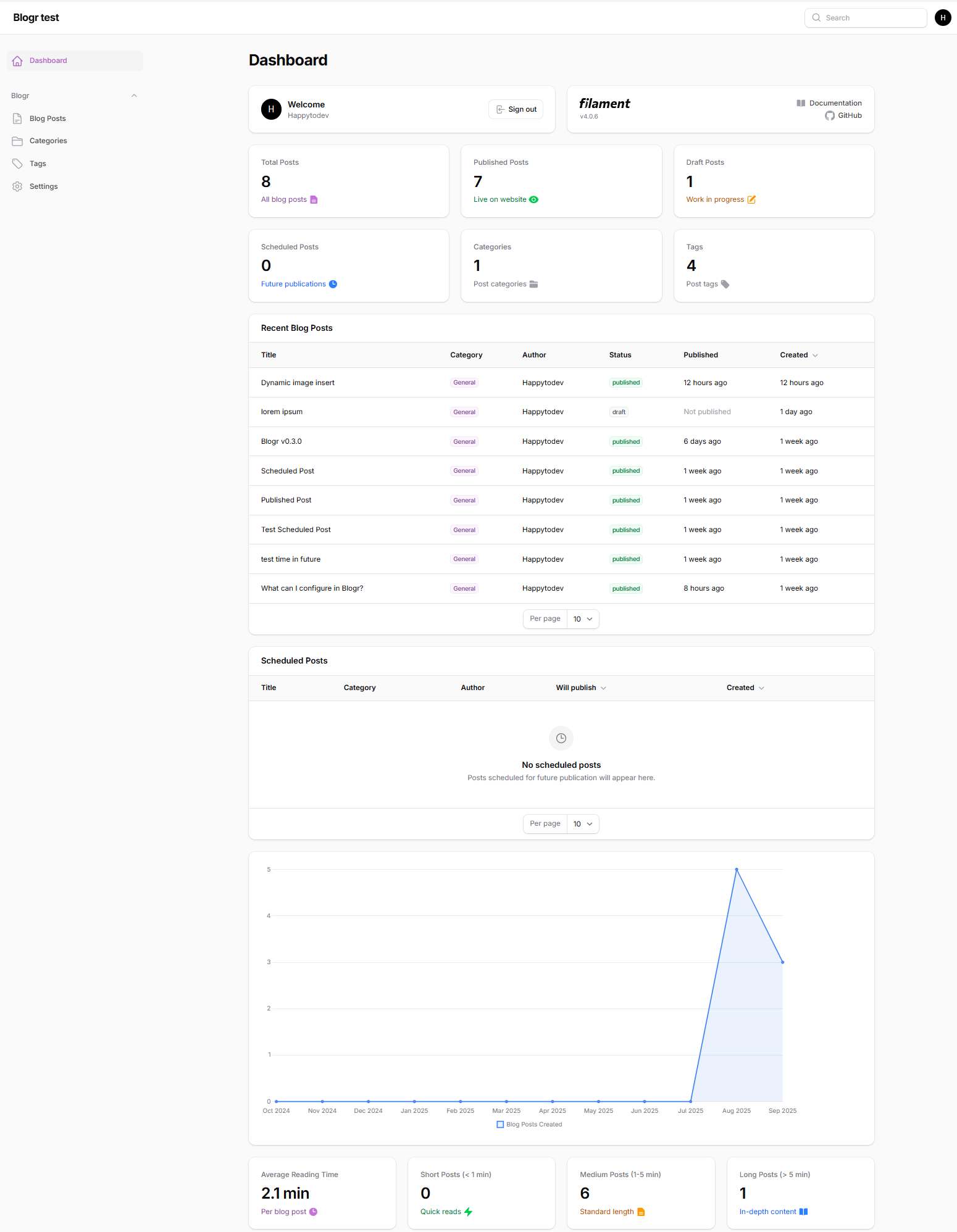
- 📊 Dashboard Widgets — 9 widgets including stats, charts, scheduled posts, SEO checklist, and more.
- 🧪 Battle Tested — 1,366+ automated tests covering every major feature.
- ♿ Accessible — WCAG 2.2 AA compliant: skip navigation, keyboard-operable galleries, carousels and mega menus, descriptive link labels, screen-reader-friendly status messages, form autocomplete, focus management, minimum touch targets, visible focus indicators, accessible icon labels, and color contrast validation in admin settings.
|
|
Admin Dashboard
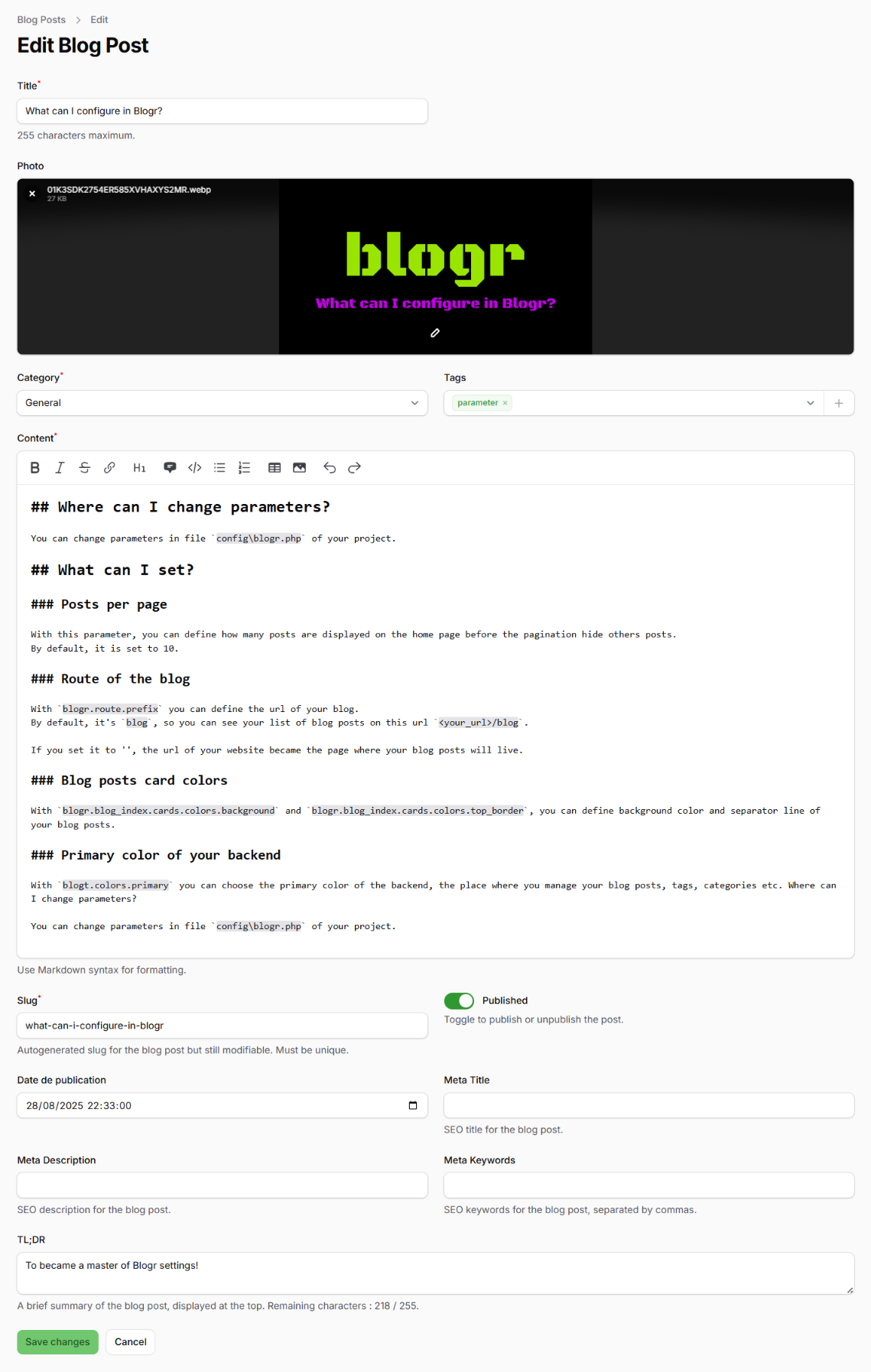
Post Editor
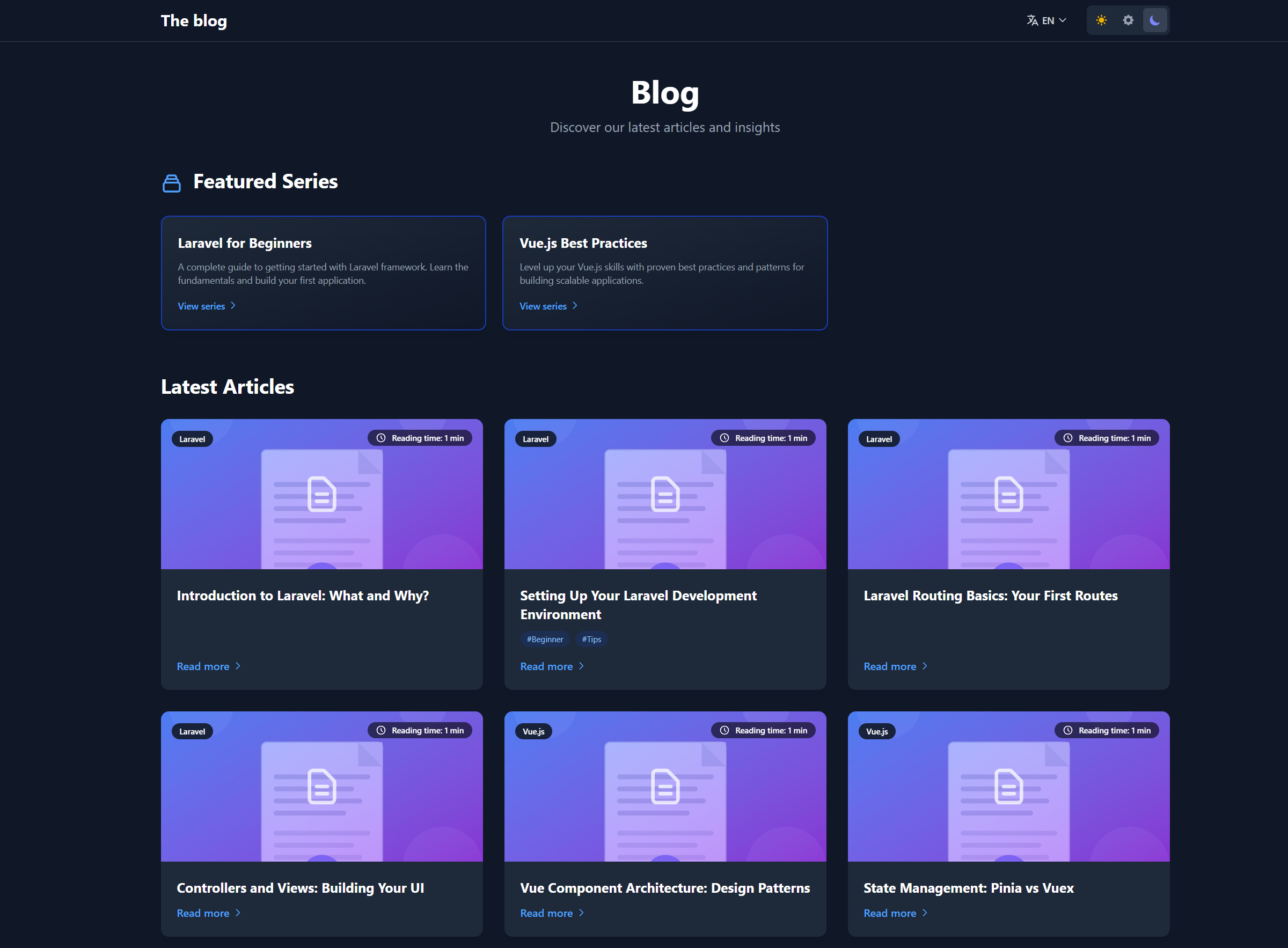
Frontend Blog Home
More screenshots are available in the
.github/imagesfolder on GitHub.
- PHP 8.3+
- Laravel 12.x
- FilamentPHP v4.x
- Composer
- Node.js 18+ and npm
# 1. Create a Laravel project
laravel new my-blog
cd my-blog

# 2. Install FilamentPHP
composer require filament/filament
php artisan filament:install --panels

# 3. Create an admin user
php artisan make:filament-user

# 4. Install Blogr
composer require happytodev/blogr
php artisan blogr:install
The installer will ask a few questions (CMS enabled, homepage type, admin path, theme setup, tutorials, demo pages) and then publish configs, run migrations, configure your User model, install frontend assets, and build everything.
- Log in at
/admin(or your configured admin path). - Go to Blog Posts → New Post to create content.
- Visit Blogr Settings to customize appearance, SEO, navigation, and analytics.
- View your blog at
/blogor/if you set the blog as homepage.
For a detailed walkthrough, see INSTALL.md.
Blogr ships with several Artisan commands:
| Command | Description |
|---|---|
php artisan blogr:install |
Interactive installer (recommended) |
php artisan blogr:install-tutorials |
Install tutorial posts |
php artisan blogr:remove-tutorials |
Remove tutorial posts |
php artisan blogr:list-tutorials |
List available tutorials |
php artisan blogr:publish-demo-pages |
Publish Home + Contact demo CMS pages |
php artisan blogr:export |
Export posts, series, categories, tags, users, CMS pages |
php artisan blogr:import {file} |
Import from JSON or ZIP export |
php artisan blogr:sync-admin-path |
Sync the admin panel path after changing it |
php artisan blogr:migrate-translations |
Migrate legacy posts to translation-first schema |
php artisan blogr:install-user-management |
Install User resource stubs and permissions |
All settings are manageable from the Blogr Settings page in the admin panel, or directly in config/blogr.php.
'route' => [
    'prefix' => 'blog',          // Change to '' for homepage
    'frontend' => ['enabled' => true],
    'middleware' => ['web'],
],

'homepage' => [
    'type' => 'blog',            // 'blog' or 'cms'
],'locales' => [
'enabled' => true,
'default' => 'en',
'available' => ['en', 'fr'],
'auto_detect' => false,
],'cms' => [
'enabled' => true,
'prefix' => '', // '', 'page', 'pages', etc.
'templates' => [
'default', 'landing', 'contact', 'about', 'pricing', 'faq', 'custom'
],
],'seo' => [
'site_name' => ['en' => 'The blog', 'fr' => 'Le blog'],
'default_title' => ['en' => 'Blog', 'fr' => 'Blog'],
'twitter_handle' => '@yourhandle',
'og' => [
'image' => '/images/blogr.webp',
'image_width' => 1200,
'image_height' => 630,
],
'structured_data' => [
'enabled' => true,
'organization' => [
'name' => env('APP_NAME'),
'url' => env('APP_URL'),
'logo' => env('APP_URL').'/images/logo.png',
],
],
],'analytics' => [
'enabled' => false,
'provider' => null, // 'google', 'plausible', 'umami', 'matomo'
'google' => ['measurement_id' => 'G-XXXXXXXXXX'],
'plausible' => ['domain' => 'yoursite.com'],
'umami' => ['website_id' => null, 'src' => null],
'matomo' => ['url' => null, 'site_id' => null],
],Nine widgets are available and can be enabled or disabled from Settings → Dashboard:
| Widget | Description |
|---|---|
BlogStatsOverview |
Total, published, draft, scheduled posts + categories, tags, series, CMS pages |
RecentBlogPosts |
Latest posts with edit actions, filters, and column toggles |
ScheduledPosts |
Upcoming scheduled publications |
BlogPostsChart |
Post creations and publications over the last 12 months |
BlogReadingStats |
Reading time distribution (average, short, medium, long) |
CategoryPostsChart |
Doughnut chart of posts per category |
SeriesStatsOverview |
Series metrics overview |
WeeklyActivityChart |
Weekly publishing activity bar chart |
MissingSeoAlert |
SEO checklist alerting missing metadata |
The CMS page builder includes 23 block types:
Content & Marketing
- Hero Banner
- Hero Carousel
- Features Grid
- Call to Action
- Rich Content (Markdown)
- Blog Posts
- Blog Title
Social Proof & Info
- Testimonials
- Team Members
- Stats & Metrics
- Timeline
- FAQ Accordion
Interactive & Media
- Image Gallery
- Video Embed
- Map
- Contact Form
- Newsletter
Decorative & Layout
- Wave Separator
- Section Separator (diagonal)
- Transition: Clip Path
- Transition: Simple
- Transition: Animation
Each block supports 5 background types (none, solid, gradient, image, pattern), independent dark-mode settings, custom colors, and text shadows.
Blogr supports third-party plugins via the BlogrExtension interface. Plugins can register routes, Livewire components, custom link types, and settings pages.
use Happytodev\Blogr\Contracts\BlogrExtension;
use Happytodev\Blogr\Services\ExtensionRegistry;

class MyPlugin implements BlogrExtension
{
    public function getId(): string { return 'my-plugin'; }
    public function getName(): string { return 'My Plugin'; }
    public function getDescription(): string { return 'What it does.'; }
    public function getVersion(): string { return '1.0.0'; }
    public function getAuthor(): string { return 'Your Name'; }
    public function getHomepage(): ?string { return null; }
    public function getDependencies(): array { return []; }
    public function getSettingsUrl(): ?string { return null; }
    public function registerExtension(ExtensionRegistry $registry): void {}
}
Register your plugin in your service provider:
public function packageBooted(): void
{
    if ($this->app->has(ExtensionRegistry::class)) {
        $this->app->make(ExtensionRegistry::class)->register(new MyPlugin);
    }
}| Plugin | Description | Repository |
|---|---|---|
| GDPR | Cookie consent, privacy policy, data export and erasure | happytodev/blogr-gdpr |
| Comments | Threaded comments with moderation, voting, anti-spam, and email notifications | happytodev/blogr-comments |
| Artist Portfolio | Artist portfolio with artwork management, portfolio pages, and commission showcase | happytodev/blogr-artist |
Change the default /admin URL from Settings → Admin Panel, then run:
php artisan blogr:sync-admin-pathYou can also set it via .env:
BLOGR_ADMIN_PATH=backofficeAdd 2FA to your admin panel with Filament Breezy. Blogr provides an installer command:
php artisan blogr:install-breezySee the Breezy documentation for full configuration details.
Blogr uses Spatie Permission with two default roles:
- Admin — full access
- Writer — can create and edit own posts, cannot publish or manage other users
Blogr is tested with 1,266 Pest PHP tests covering import/export, multilingual routing, CMS pages, blocks, SEO, widgets, permissions, and more.
cd vendor/happytodev/blogr
./vendor/bin/pest --parallel
CI runs on GitHub Actions with PHP 8.4, Laravel 12, and prefer-stable.
- Installation Guide
- Feature Overview
- CMS Pages in Navigation
- Theme Switcher
- RSS Feeds
- Language Switcher Fix
- Full docs folder


MIT License — See LICENSE.md for details.
Created with ❤️ by Frédéric Blanc and the Laravel community.
Made with ❤️ using Laravel & FilamentPHP