
All your multiplexers. One native terminal.
Open tmux, Herdr, and Zellij sessions on your Mac and SSH hosts.
Add Git worktrees when you need them.



Website · Download · Overview · Docs · Changelog · Discord
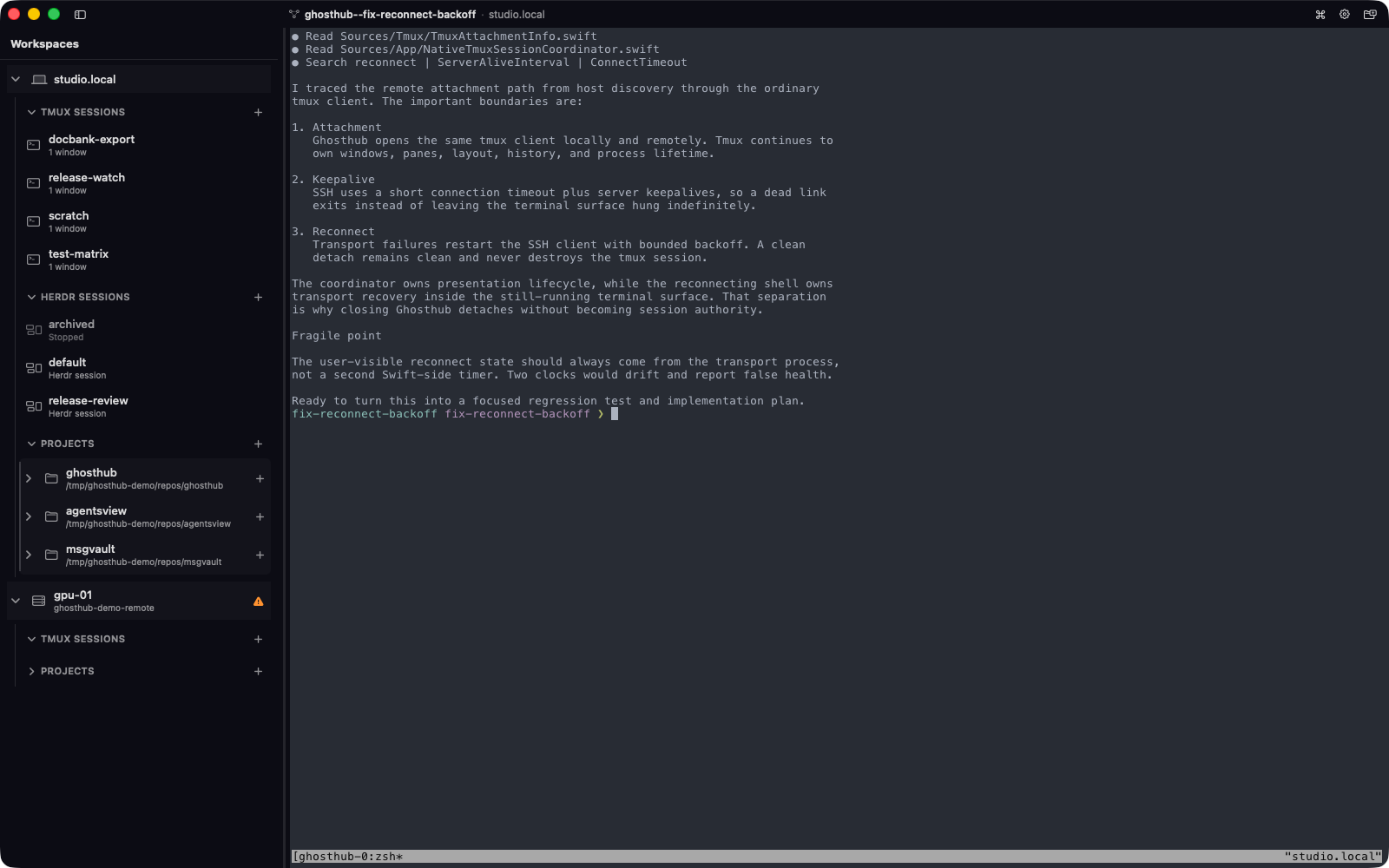
Ghosthub opens tmux, Herdr, and Zellij sessions on your Mac and on machines reached over SSH. A terminal multiplexer keeps your shells and programs running when you close a terminal or lose a connection. Ghosthub helps you find those sessions, switch between them, and reconnect.
Each multiplexer keeps its panes, history, key bindings, and running programs. You can also register a Git repository and use kwt to create worktrees from branches or GitHub pull requests. A worktree is a separate checkout of a branch. Git and worktrees are optional.
Ghosthub is alpha software. Report bugs and request features through GitHub issues.
- Open local and remote sessions together in native Mac windows and tabs.
- Keep remote sessions connected through ordinary SSH interruptions.
- Preview tmux sessions and see which ones are producing output.
- Create Git worktrees and inspect their changed files in the sidebar.
- Search sessions, projects, and actions with Command-Shift-P.
- Set fonts and colors in Ghosthub's own
ghostty.conf. Ghosthub uses libghostty for rendering and does not load Ghostty.app's settings.
See the visual overview for a tour. The public guides explain setup, controls, and limits.
You need an Apple Silicon Mac with macOS 15 (Sequoia) or newer. Install Ghosthub:
brew install kenn-io/tap/ghosthubOr download the latest stable DMG and drag Ghosthub to Applications.
Install at least one supported multiplexer on the host where you work: tmux 3.2+, Herdr 0.8.0+, or Zellij 0.44+. For tmux on your Mac:
brew install tmux- Launch Ghosthub from Applications.
- Expand your Mac in the sidebar.
- Select an existing session, or select the + beside a session group to create one.
Closing a terminal view detaches from its session. The session keeps running. Ending it requires a separate, confirmed Kill Session… or Stop Session… action. See Sessions.
This README and the website docs follow main. The
Unreleased changelog identifies changes newer than
the latest stable release. Read about
stable and nightly builds
before trying them.
| I want to… | Guide |
|---|---|
| Connect another machine or arrange hosts | Remote hosts |
| Create worktrees or find a moved project | Projects and worktrees |
| Save a command for a new tmux session | Launch profiles |
| Use windows, tabs, and the Command Palette | Windows and navigation |
| Change fonts, colors, themes, or clipboard behavior | Terminal configuration |
| Find or change a shortcut | Keyboard shortcuts |
| Understand or turn off anonymous usage reporting | Privacy |
| Diagnose a connection or session problem | Troubleshooting |
Ghosthub uses your OpenSSH configuration and presents host-key reviews and authentication prompts when needed. Remote macOS and Linux hosts can use tmux, Herdr, or Zellij. Connections from the Mac app to native Windows/psmux hosts are experimental; see the requirements and limits.
Ghosthub does not accept unsolicited pull requests. Bug reports and feature requests are welcome through GitHub issues. Prospective code contributors should read the contribution policy and contact Kenn Software privately before starting work; accepted contributors must sign a CLA.
Internal build instructions, architecture, security boundaries, terminal
behavior, and release operations are documented in docs/.
Copyright 2026 Kenn Software LLC.
Ghosthub is free and open source software licensed under the GNU Affero General Public License v3.0.