
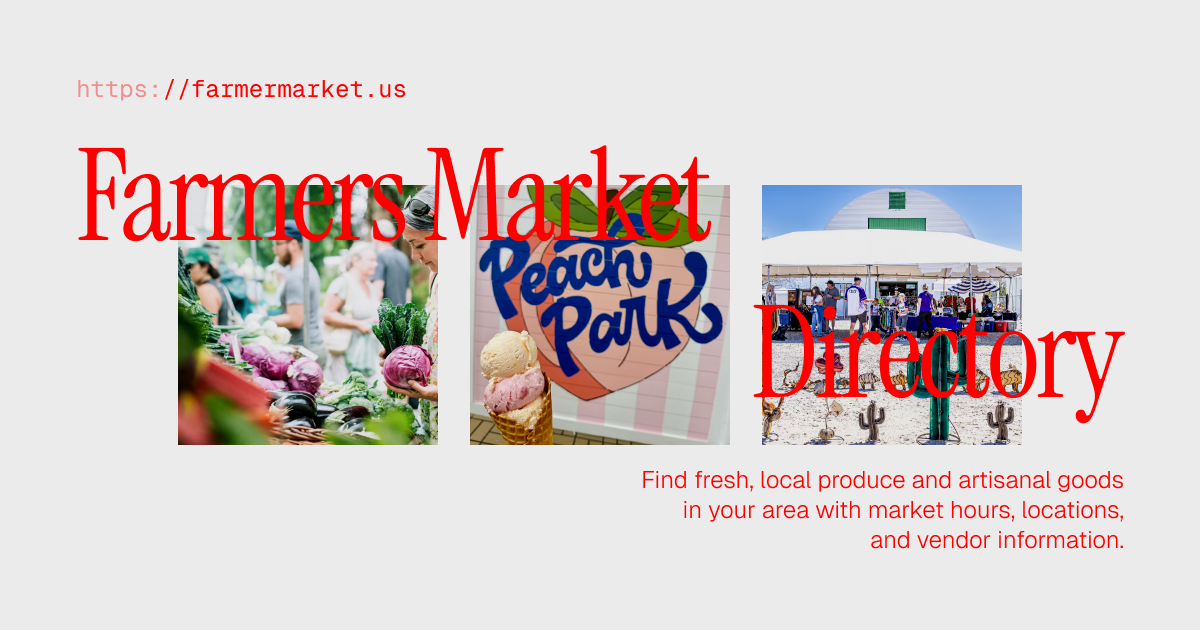

A comprehensive directory of farmer's markets across America built with SvelteKit, featuring state-based filtering, interactive maps, detailed market information, and comprehensive SEO optimization.
- 🏪 Farmer's Market Directory: Comprehensive listings of 1000+ farmer's markets across all 50 US states
- 🗺️ Interactive Maps: Google Maps integration with geocoding and market locations
- 🏷️ State-Based Filtering: Filter markets by US state with custom icons
- 📄 Pagination: Handle large market collections with smooth navigation
- 📍 Detailed Market Info: Hours, addresses, phone numbers, coordinates, and descriptions
- 🔍 SEO Optimized: Comprehensive meta tags, Open Graph, structured data, and sitemaps
- 📱 Responsive Design: Beautiful UI that works on all devices with optimized images
- 🏃♂️ Fast Performance: Static generation with SvelteKit for optimal speed
- 🎨 Modern Styling: Tailwind CSS v4 with clean, professional design
- 📝 Blog System: Markdown-based blog with gray-matter frontmatter
- 🆕 Dynamic Navigation: Latest blog post displayed with NEW badge in centered navigation
- 💰 Ad System: Configurable custom ads with Google Ads integration
- Framework: SvelteKit with Static Adapter
- Language: TypeScript
- Styling: Tailwind CSS v4
- Icons: Phosphor Icons
- Maps: Google Maps JavaScript API
- Content: Markdown with marked and gray-matter
- Build Tool: Vite
- Code Quality: ESLint, Prettier
- Deployment: Vercel
src/
├── routes/
│   ├── [state]/[slug]/       # Dynamic farmer's market pages
│   │   ├── +page.svelte      # Market detail page
│   │   └── +page.ts          # Market data loading
│   ├── blog/                 # Blog system
│   │   ├── +page.svelte      # Blog listing
│   │   ├── +page.server.ts   # Blog data loading
│   │   └── [slug]/           # Individual blog posts
│   ├── +layout.svelte        # Root layout with navigation
│   └── +page.svelte          # Homepage with state filters
├── lib/
│   ├── components/
│   │   ├── ui/               # Reusable UI components
│   │   │   ├── ResourceCard.svelte
│   │   │   ├── ResourceMap.svelte
│   │   │   ├── Pagination.svelte
│   │   │   ├── Ad.svelte
│   │   │   └── SEO.svelte
│   │   ├── layout/           # Layout components
│   │   │   ├── FilterBar.svelte
│   │   │   ├── Hero.svelte
│   │   │   ├── Navigation.svelte
│   │   │   └── Footer.svelte
│   │   └── blog/             # Blog components
│   │       └── BlogCard.svelte
│   ├── data/
│   │   └── resources.json    # Farmer's market data (1000+ markets)
│   ├── content/
│   │   └── blog/             # Markdown blog posts
│   ├── utils/
│   │   ├── slugify.ts        # URL slugification
│   │   ├── geocoding.ts      # Google Maps utilities
│   │   ├── markdown.ts       # Markdown processing
│   │   └── ads.ts            # Ad system utilities
│   ├── services/
│   │   └── blog.ts           # Blog service functions
│   └── config.ts             # Site configuration
Update the main site settings in src/lib/config.ts:
export const config = {
	siteName: 'FarmerMarket.us',
	siteDescription: `Your complete directory of farmer's markets across America. Find fresh, local produce and artisanal goods in your area with market hours, locations, and vendor information.`,
	defaultSiteUrl: 'https://farmermarket.us/',
	contactEmail: 'hqdirectory@gmail.com',
	// Ad placement configuration
	ads: {
		enabled: true,
		placementRow: 1, // Insert ad after this row
		itemsPerRow: 4, // Grid columns
		showOnResourcePages: true
		// ... ad configuration
	}
};Create a .env file in your project root for environment-specific configuration:
# Production domain (used for SEO meta tags)
PUBLIC_SITE_URL=https://yourdomain.comDevelopment:
PUBLIC_SITE_URL=http://localhost:5173Staging:
PUBLIC_SITE_URL=https://staging.yourdomain.comProduction:
PUBLIC_SITE_URL=https://yourdomain.comNote: The
PUBLIC_prefix makes the variable available to client-side code in SvelteKit.
Add environment variables in your Vercel dashboard:
- Key:
PUBLIC_SITE_URL - Value:
https://yourdomain.com
Add to your Netlify environment variables:
PUBLIC_SITE_URL=https://yourdomain.com
Export the environment variable:
export PUBLIC_SITE_URL=https://yourdomain.com
npm run build# Clone the repository
git clone <your-repo-url>
cd farmermarket.us
# Install dependencies
npm install# Start development server
npm run dev
# Open in browser automatically
npm run dev -- --open# Build for production
npm run build
# Preview production build locally
npm run previewEdit src/lib/data/resources.json to add new farmer's markets:
{
	"id": "unique-id",
	"title": "Market Name",
	"description": "Brief description of the farmer's market",
	"longDescription": "<p>Detailed HTML description</p>",
	"image": "/images/resources/state/market-image.avif",
	"phone": "+1 555-123-4567",
	"hours": {
		"monday": "8:00 AM - 2:00 PM",
		"tuesday": "",
		"wednesday": "8:00 AM - 2:00 PM",
		"thursday": "",
		"friday": "8:00 AM - 2:00 PM",
		"saturday": "7:00 AM - 3:00 PM",
		"sunday": ""
	},
	"externalUrl": "https://market-website.com",
	"sponsored": false,
	"address": {
		"street": "123 Market Street",
		"city": "City Name",
		"state": "State Name",
		"zip": "12345"
	},
	"coordinates": {
		"lat": 40.7128,
		"lng": -74.006
	}
}
State filters are automatically generated from the market data. Each state has a custom icon defined in src/routes/+page.svelte:
const filters = [
	{ label: 'Alabama', icon: Rocket, state: 'Alabama' },
	{ label: 'Alaska', icon: Snowflake, state: 'Alaska' }
	// ... all 50 states with custom icons
];Add new blog posts as Markdown files in src/lib/content/blog/:
---
title: 'Your Blog Post Title'
description: 'Brief description for SEO'
date: '2024-01-15'
author: 'Author Name'
---

# Your Blog Post

Content goes here in Markdown format.Markets are automatically paginated when there are more than 20 items. You can adjust this in src/routes/+page.svelte:
const itemsPerPage = 20; // Change this valueThe project includes a flexible ad system that supports multiple custom ads with randomization and future Google Ads integration.
- 🎲 Randomized Ads: Each page load displays a random ad from your pool
- 📍 Smart Placement: Configure which grid row ads appear in on directory pages
- 📄 Resource Page Ads: Display ads on individual resource pages
- 🎯 Multiple Ad Support: Manage multiple custom ads easily
- 🚀 Google Ads Ready: Built-in support for future Google Ads integration
- ⚙️ Fully Configurable: Control placement, frequency, and display logic
Configure ads in src/lib/config.ts:
export const config = {
	// ... other config
	ads: {
		enabled: true, // Enable/disable ad system
		// Directory page ads
		placementRow: 1, // Insert ad after this row (1-based)
		itemsPerRow: 4, // Must match your grid columns
		// Individual resource page ads
		showOnResourcePages: true, // Enable/disable ads on resource pages

		// Custom ads pool - randomly selected
		customAds: [
			{
				id: 'soc-compliance',
				image: '/ads/soc.png',
				url: 'https://randy.digital'
			}
			// Add more ads here...
		],

		// Google Ads configuration (for future use)
		googleAds: {
			enabled: false, // Will enable when Google Ads are ready
			adSlotId: '', // Your Google Ads slot ID
			frequency: 0.3 // 30% chance to show Google Ad vs custom ad
		}
	}
};The system uses a smart placement algorithm:
- Row-Based: Ads appear after complete rows of resources
- Example: With
placementRow: 1anditemsPerRow: 4, the ad appears after the 4th resource - Responsive: Automatically adapts to your grid configuration
// Placement Examples:
placementRow: 1, itemsPerRow: 4  // Ad after 4 resources (1st row)
placementRow: 2, itemsPerRow: 4  // Ad after 8 resources (2nd row)
placementRow: 3, itemsPerRow: 4  // Ad after 12 resources (3rd row)
The system will automatically calculate the correct insertion point based on your grid layout.
Ads also appear on individual resource pages after the main content. This provides additional ad impressions and monetization opportunities.
Features:
- Same Ad Pool: Uses the same randomized ad system as directory pages
- Optimal Placement: Positioned after resource description, before page end
- Configurable: Can be disabled independently from directory ads
- Responsive: Adapts to the resource page layout
Configuration:
ads: {
	showOnResourcePages: true,  // Enable ads on individual resource pages
	// ... other settings
}
To disable resource page ads only:
ads: {
	enabled: true,              // Keep directory ads enabled
	showOnResourcePages: false, // Disable resource page ads
	// ... other settings
}Ad.svelte: Displays custom ads with your brandingGoogleAd.svelte: Ready for Google Ads integration (currently placeholder)ads.ts: Utility functions for ad logic and randomization
To disable the ad system completely:
ads: {
	enabled: false,
	// ... rest of config
}Simply add new ad objects to the customAds array:
{
	id: 'unique-ad-id',                    // Unique identifier
	image: '/ads/your-ad-image.png',       // Full ad image path
	url: 'https://example.com/landing'     // Click-through URL
}- Full-Image Design: Ads are complete images that fill the entire ad space
- Self-Contained: All text, branding, and call-to-action should be part of the image
- Recommended Size: 1200x400px (3:1 aspect ratio) for banner-style ads
- Format: PNG, JPG, or WebP
- File Size: Under 500KB for optimal loading
- Content: Design the complete ad within the image file
- Responsive: Images automatically scale to fit the container width
- Load-Time Selection: A random ad is chosen when the page loads
- Equal Distribution: All ads have equal chance of being displayed
- Future Enhancement: Google Ads can be mixed in based on frequency setting
When ready to integrate Google Ads:
-
Enable Google Ads:
googleAds: {
  enabled: true,
  adSlotId: 'your-google-ads-slot-id',
  frequency: 0.3  // 30% Google Ads, 70% custom ads
}
-
Update GoogleAd Component: Uncomment the Google Ads code in
src/lib/components/ui/GoogleAd.svelte -
Add Google Ads Script: The system will automatically handle the integration
You can easily test different ad placements by adjusting the configuration:
// Test ad after first row
placementRow: 1;

// Test ad after second row
placementRow: 2;

// Test ad after third row
placementRow: 3;
The system will automatically calculate the correct insertion point based on your grid layout.