




Download any icon set from Wallpapers Clan and pack it into a fully compliant Linux icon theme tarball.
From aesthetic icons to a system-ready theme in minutes!
This script grabs icon packs from Wallpapers Clan (or any page with downloadable icons), automatically organizes them into a proper Linux icon theme hierarchy, generates symlinks for every standard size, maps app names to your pack's icons, and installs the result — all with a single command.
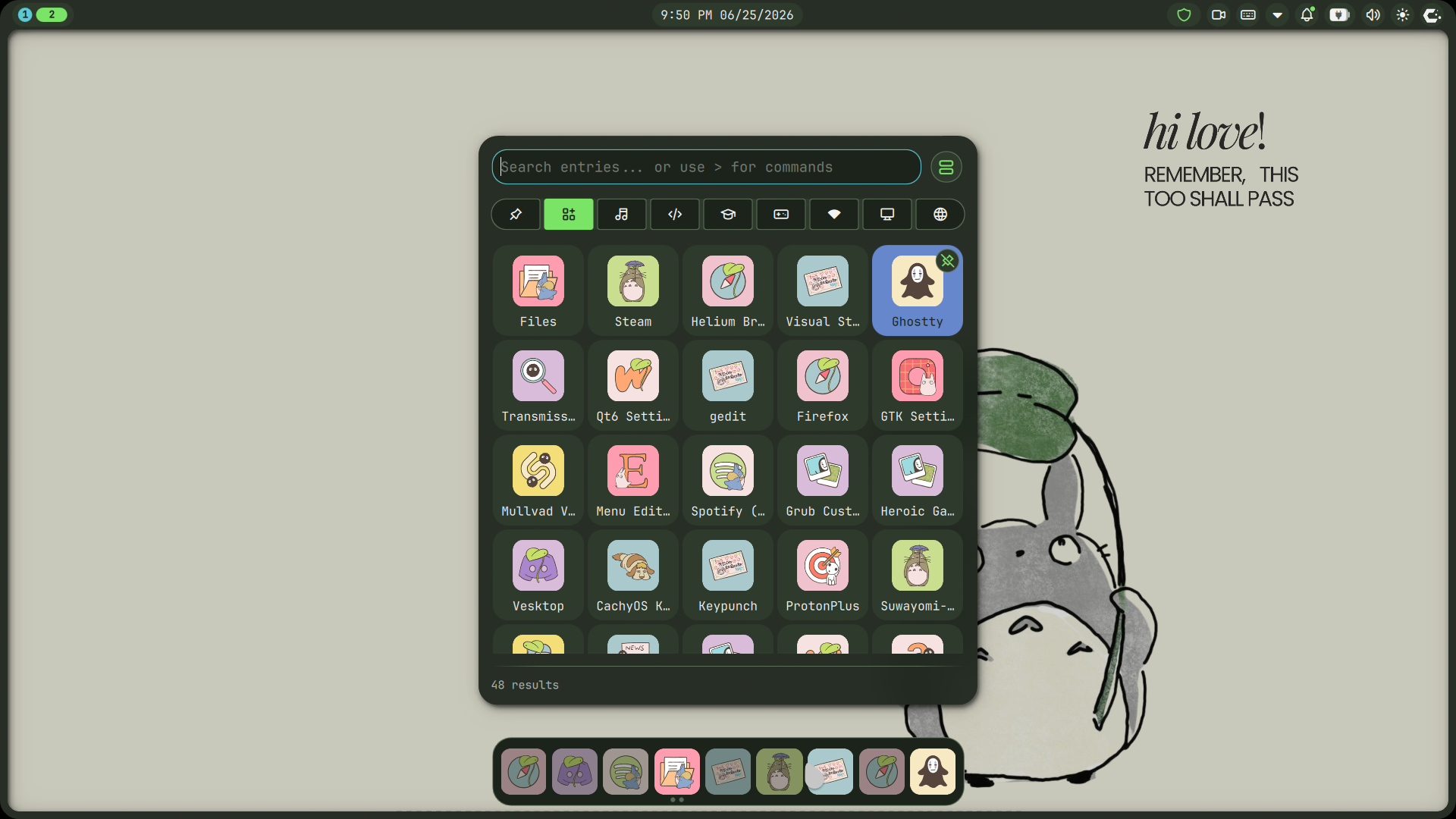
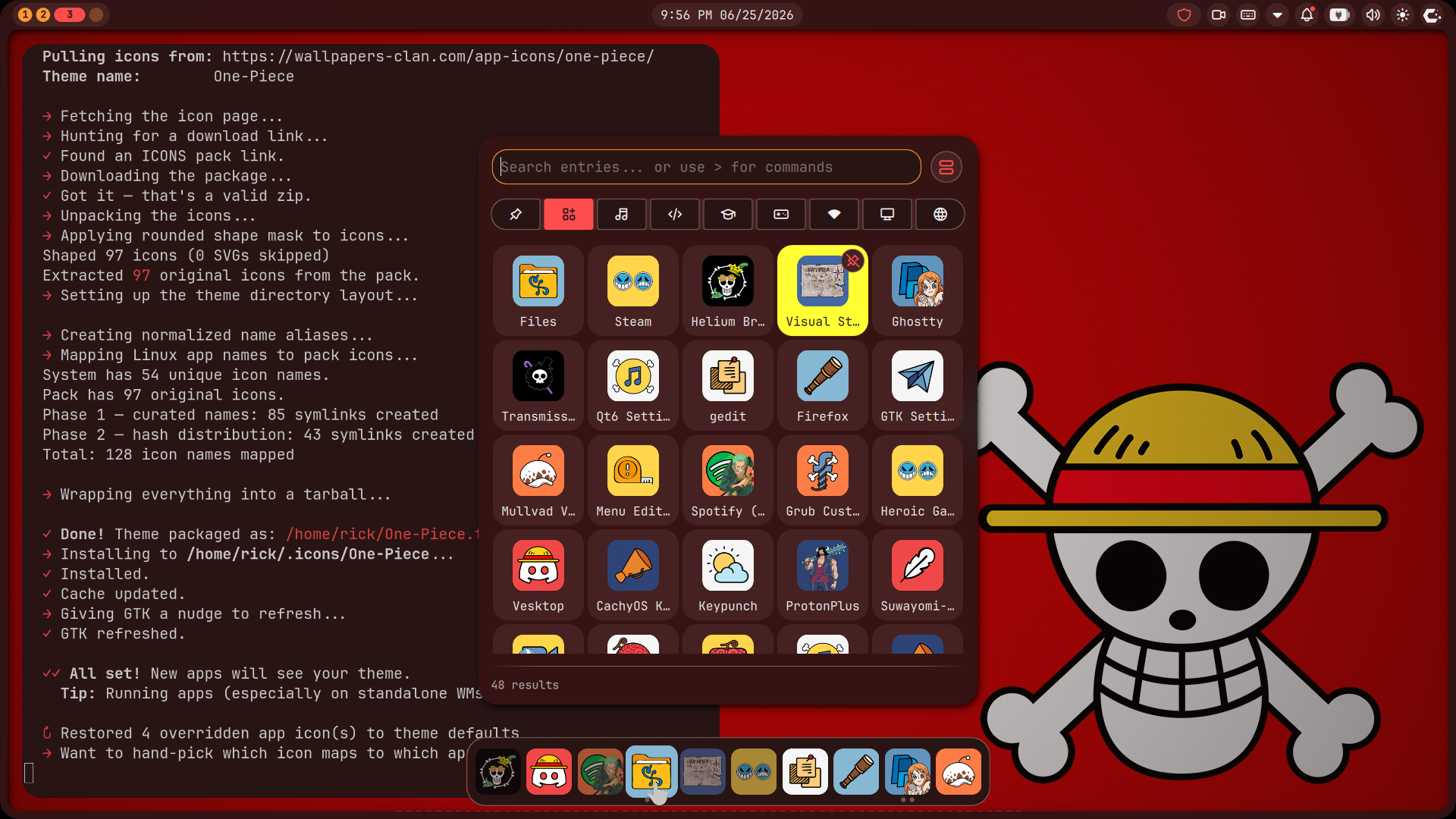
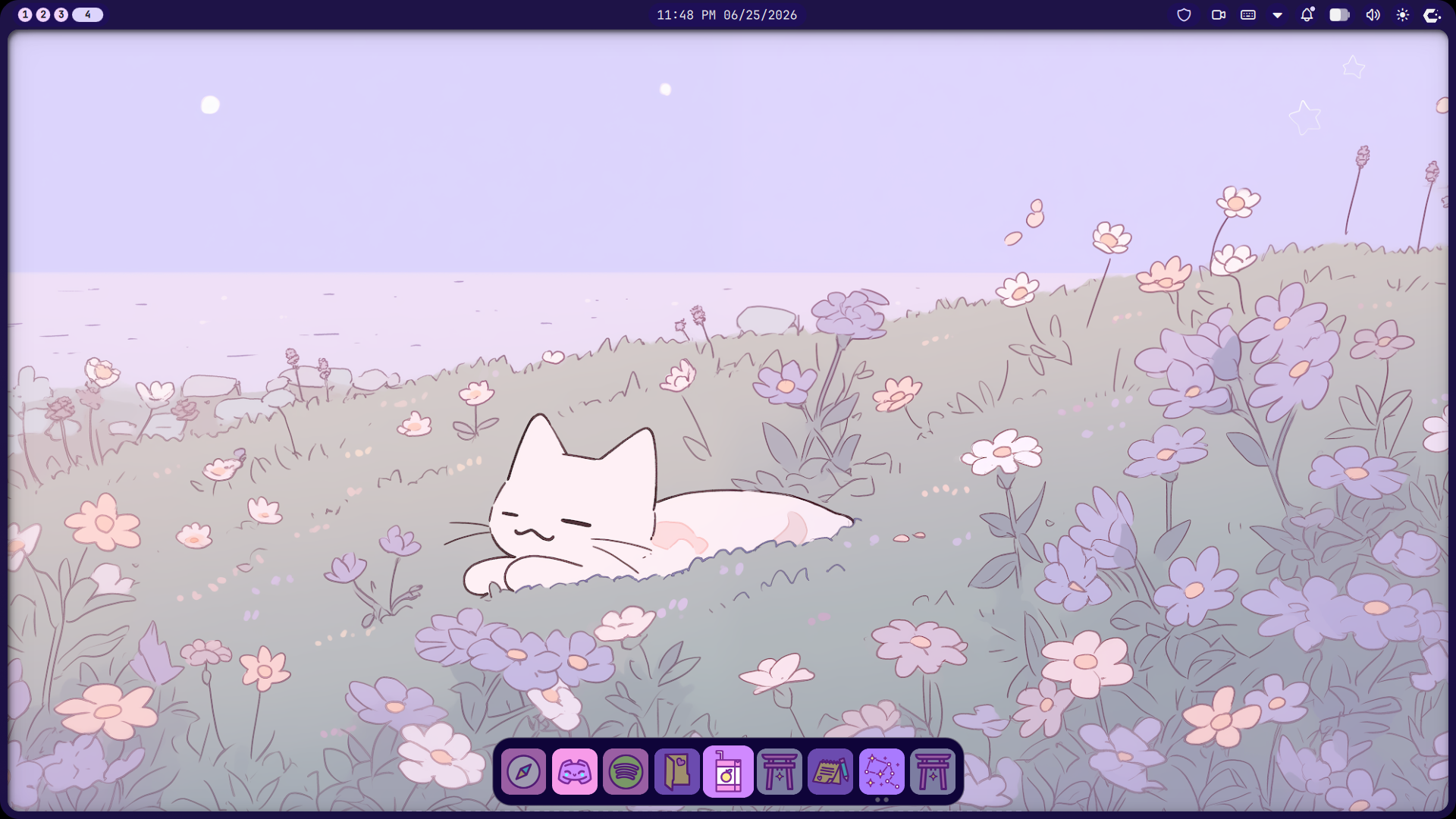
- 🎯 Auto-download from any Wallpapers Clan page (zip packs or image scraping)
- 🧬 Smart sizing — detects icon pixel dimensions and places them in correct size directories, with automatic context detection (apps / actions / mimetypes)
- 🔗 Full-size coverage — symlinks original icons into all standard sizes (16×16 through 256×256); alias symlinks (mapped names) live only in the primary size directory
- 🧠 Curated name mapping — knows what Linux calls each app (Discord →
discord, Chrome →google-chrome, etc.) - 🔀 Hash-based fallback — distributes remaining system icons across your pack's artwork
- 🎨 Shape masking — apply rounded corners or circular masks to all icons with
--shape rounded|circle - 🖌️ Interactive icon picker — hand-pick which icon maps to each app via yad/zenity GUI
- 🔄 Auto-reset on install — old custom icon overrides are cleared when generating a new theme; standalone
--pickermode preserves existing mappings - 📦 Standards-compliant — generates a proper
index.themewithDirectories,Context, andTypesections - ⚡ Auto-install — places the theme in
~/.icons/, runsgtk-update-icon-cache, and refreshes GTK - 🖼️ Scalable SVG support — detects and places SVGs in the
scalabledirectory
# Arch / Manjaro
sudo pacman -S curl python python-pillow
# Optional for icon picker:
sudo pacman -S yad       # or zenity

# Debian / Ubuntu
sudo apt install curl python3 python3-pil
# Optional for icon picker:
sudo apt install yad     # or zenity

# Fedora
sudo dnf install curl python3 python3-pillow
# Optional for icon picker:
sudo dnf install yad # or zenity# Clone the repo
git clone https://github.com/xi-Rick/icon-maker.git
cd icon-maker
# Make it executable
chmod +x icon-maker.sh
# Basic usage
./icon-maker.sh <URL> <theme_name>
# With shape masking
./icon-maker.sh --shape rounded <URL> <theme_name>
./icon-maker.sh --shape circle <URL> <theme_name>
# Run icon picker on an already-installed theme (no download)
./icon-maker.sh --picker <theme_name>
./icon-maker.sh -p <theme_name>| Flag | Description |
|---|---|
--shape rounded |
Apply rounded corners to all icons (radius = 20% of icon size) |
--shape circle |
Crop all icons into a perfect circle |
--picker <theme> / -p <theme> |
Skip download/processing; open the icon picker on an already-installed theme |
# Download One Piece app icons with rounded corners
./icon-maker.sh --shape rounded https://wallpapers-clan.com/app-icons/one-piece/ One-Piece

# Re-open the icon picker later
./icon-maker.sh -p One-Piece┌──────────────────────────────────────────────────────┐
│ 1. Fetch page HTML (curl / Firefox headless) │
│ ↓ │
│ 2. Extract download URL (zip > images) │
│ ↓ │
│ 3. Download & extract zip OR scrape images │
│ ↓ │
│ 4. Detect icon sizes & organize into dirs │
│ ├─ 16×16/apps/ (symlinks → primary size) │
│ ├─ 22×22/apps/ │
│ ├─ 24×24/apps/ │
│ ├─ … (16,22,24,32,48,64,128,256) │
│ └─ <size>×<size>/apps/ (Type=Scalable, aliases) │
│ ↓ │
│ 5. [Optional] Apply shape mask (--shape) │
│ ├─ --shape rounded → rounded corners │
│ └─ --shape circle → circular mask │
│ ↓ │
│ 6. Normalize filenames (lowercase, spaces→hyphens) │
│ ↓ │
│ 7. Map Linux app names → pack icons │
│ ├─ Phase 1: Curated name map │
│ └─ Phase 2: Hash-distribution fallback │
│ ↓ │
│ 8. Generate index.theme │
│ ↓ │
│ 9. [Optional] Interactive icon picker (yad/zenity) │
│ ├─ Clears overrides on fresh install │
│ ├─ Preserves overrides in --picker mode │
│ └─ Lets you hand-pick per-app icon mappings │
│ ↓ │
│ 10. Package as .tar.gz & install to ~/.icons/ │
└──────────────────────────────────────────────────────┘
When you run the script, your theme directory looks like this:
~/.icons/<theme_name>/
├── index.theme
├── 16×16/
│   └── apps/
│       ├── discord.png          # symlink → 180×180/apps/discord.png
│       └── …                    # 80 original symlinks (no alias symlinks)
├── 22×22/
│   └── apps/                    # same 80 entries as 16×16
├── 24×24/
│   └── apps/
├── 32×32/
│   └── apps/
├── 48×48/
│   └── apps/
├── 64×64/
│   └── apps/
├── 128×128/
│   └── apps/
├── 256×256/
│   └── apps/
├── 180×180/                     # primary size (Type=Scalable)
│   └── apps/
│       ├── discord.png          # actual file
│       ├── vesktop.png → discord.png  # alias symlink
│       ├── google-chrome.png → discord.png  # hash-distributed alias
│       └── …                    # 255+ alias symlinks
└── scalable/                    # only if SVGs are present
    └── apps/
The script knows what Linux calls your apps. A curated map covers 40+ popular applications:
| Pack Icon | Mapped To |
|---|---|
discord |
vesktop, discord, com.discordapp.Discord |
firefox |
firefox, mozilla-firefox, org.mozilla.firefox |
spotify |
spotify, spotify-client, spotify-launcher, com.spotify.Client |
code |
code, vscode, visual-studio-code, com.visualstudio.code, codium |
terminal |
org.gnome.Terminal, gnome-terminal, Alacritty, konsole, kgx, io.mitchellh.ghostty |
files |
org.gnome.Nautilus, nautilus, caja, dolphin, thunar, nemo |
game |
steam, lutris, heroic, net.lutris.Lutris, games |
For anything not in the curated list, the script uses deterministic hash-based distribution — so every .desktop file on your system gets some icon from the pack.
Spaces and uppercase are normalized; underscores are preserved for Flatpak-style IDs:
"discord icon.png" → discord-icon.png  # lowercased, spaces → hyphens
"my_cool_app.png" → my_cool_app.png # underscore preservedThe generated index.theme includes:
[Icon Theme]header withName,Comment,Inherits=hicolor- Per-directory sections with correct
Size,Context, andType - Standard size dirs (16,22,24,32,48,64,128,256) get
Type=Fixed - Non-standard size dirs (e.g. 180×180) get
Type=Scalable MinSize=1 MaxSize=512so alias symlinks are found at any requested size - Context:
Applications(icons default toapps/context)
| OS | Compositor | Shell | Status |
|---|---|---|---|
| CachyOS (Arch-based) | Niri (Wayland) | Noctalia Shell | Full — download, shape masking, icon picker, install, --picker re-entry |
If the page is behind Cloudflare, the script tries Firefox headless:
# Needs Firefox installed
firefox --headless --dump-dom "$URL" > page.html- Direct zip download — looks for
href="*ICONS*.zip", then falls back to any.ziplink,data-downloadurl, single-quotedhref,data-href/data-url/data-fileattributes, and known path patterns (/wp-content/uploads/app-icons/) - Image scraping — extracts all
<img src="...">URLs as a last resort
| Tool | Required For |
|---|---|
curl |
Page & file downloads |
grep / sed |
URL extraction |
python3 |
Image processing, name mapping, normalization, index.theme generation |
Pillow (PIL) |
Reading image dimensions, shape masking |
yad / zenity |
(Optional) Interactive icon picker GUI |
All icon artwork is sourced from Wallpapers Clan — a digital space created by the W-Clan crew.
"W-Clan is a crew of people who love stylish things. So we created a digital space with fresh wallpapers and aesthetic app icons for everyone to adorn their phones."
Show them some love:
| Platform | Link |
|---|---|
| 🌐 Website | wallpapers-clan.com |
| 👥 Community | W-Clan Gang |
| @wallpapers.clan | |
| 🐦 Twitter / X | @wallpapersclan |
| wallpapersclan | |
| wallpapersclan |
All content on Wallpapers Clan is original or transformative fan art, intended for personal, non-commercial use. All trademarks and characters belong to their respective owners. Wallpapers Clan is not affiliated with or endorsed by any brands.
Ideas, issues, and pull requests welcome!
git clone https://github.com/xi-Rick/icon-maker.git
cd icon-maker
# Hack away- Add more curated name mappings
- Support for
--dry-runmode (preview without downloading) - Handle animated PNG/APNG
🎨 Give your Linux desktop the style it deserves!
Made with 🩷 — icons by the W-Clan for the Linux community!